2026.04.10 Product Update
Features update including bot filtering, hourly online reporting, language support expanded to 42, customized window optimization, and more.
Workbench Updates:
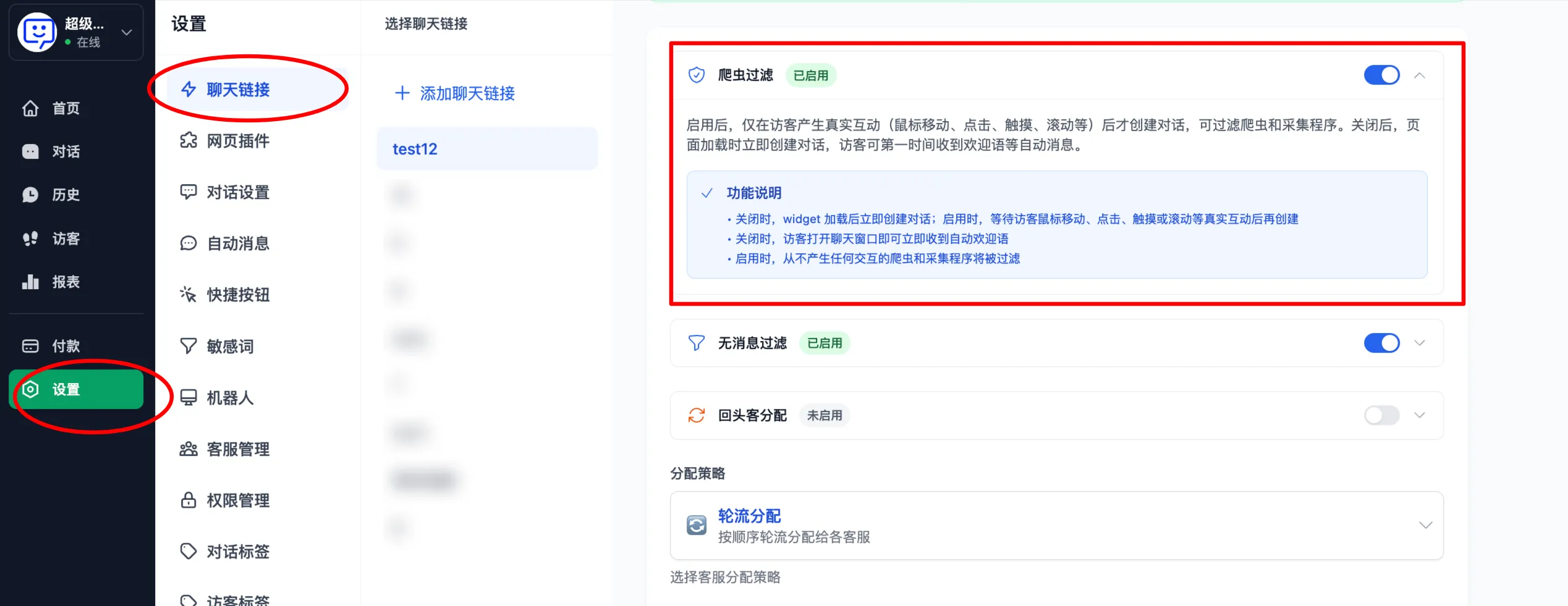
- The admin dashboard now supports bot filtering!
Simply go to "Settings" - "Chat Links", scroll down to "Bot Filtering" and enable it to stay free from crawler interference. Focus on real conversations and improve customer support efficiency.
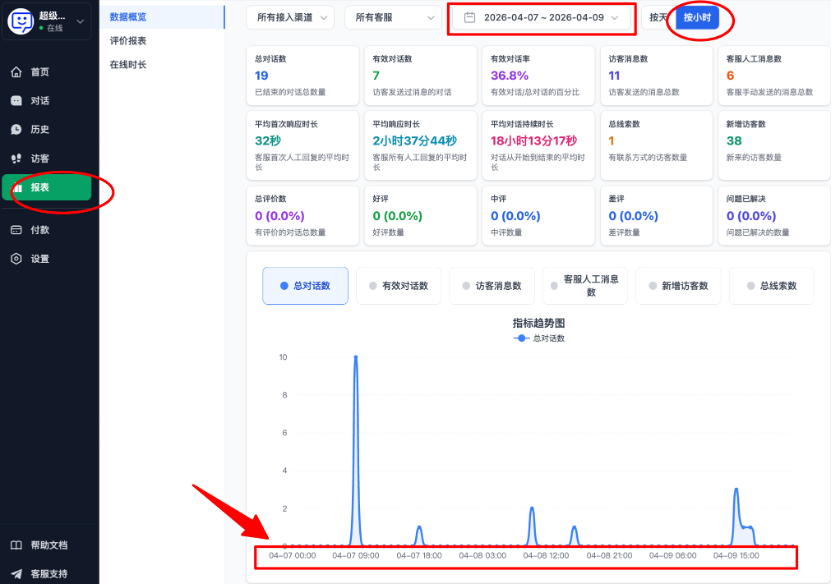
- Online reports can now be viewed at an hourly granularity!
In the "Reports" section of the dashboard, "Data Overview" and "Rating Reports" now support hourly data viewing, allowing you to compare data fluctuations within the same day more quickly.
Currently, the system supports viewing data continuously for up to 3 days on an hourly basis!
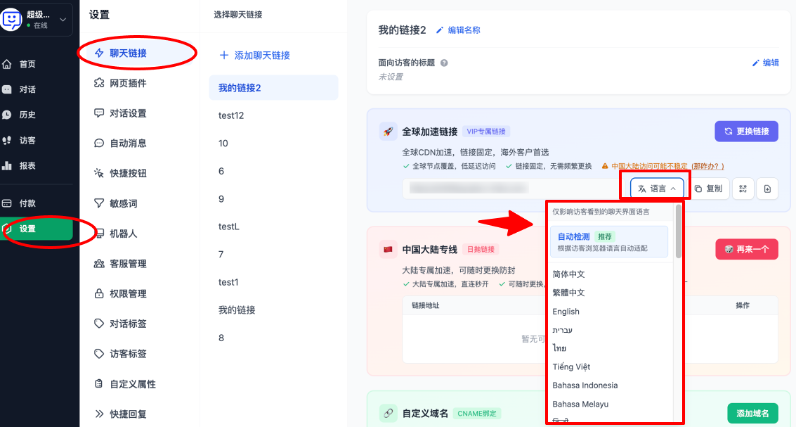
- Customer service links now support up to 42 languages.
Go to "Settings" - "Chat Links", select "Language" on the right side of the link acquisition area, and choose from up to 42 languages in the dropdown menu. Make communication between you and your customers smoother than ever.
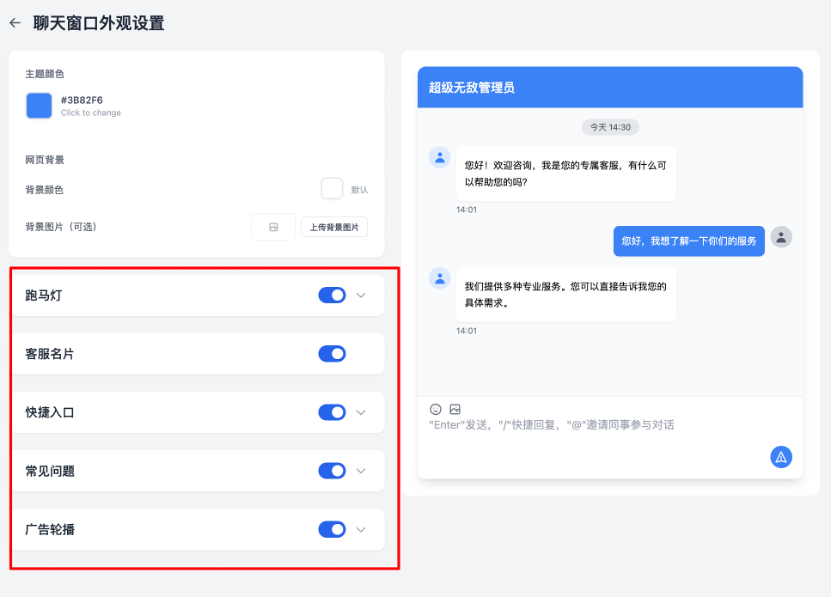
- Support for folding various settings in the customized chat window.
Navigate to "Settings" - "Chat Links" and scroll down to "Customize Chat Window". You will notice the page is now more streamlined, as various configuration items now support folding. This makes your setup process much more convenient.
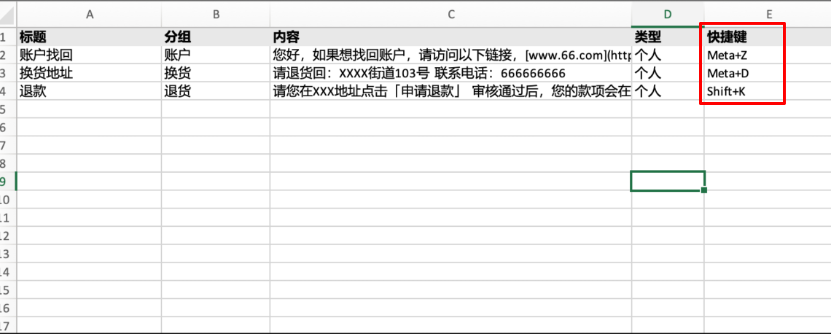
- Personal Quick Replies now support importing and exporting hotkeys.
Go to "Settings" - "Quick Replies" - "Personal Quick Replies", and select "Import" or "Export". You can now manage "Hotkey" fields within the import/export files. There's no need to add hotkeys manually, making bulk workflows easier for agents.
- Optimized password error prompts on the login page.
Previously, the system only prompted "Incorrect email or password." This has been optimized: users will now be notified that the account will be locked after all attempts are exhausted.
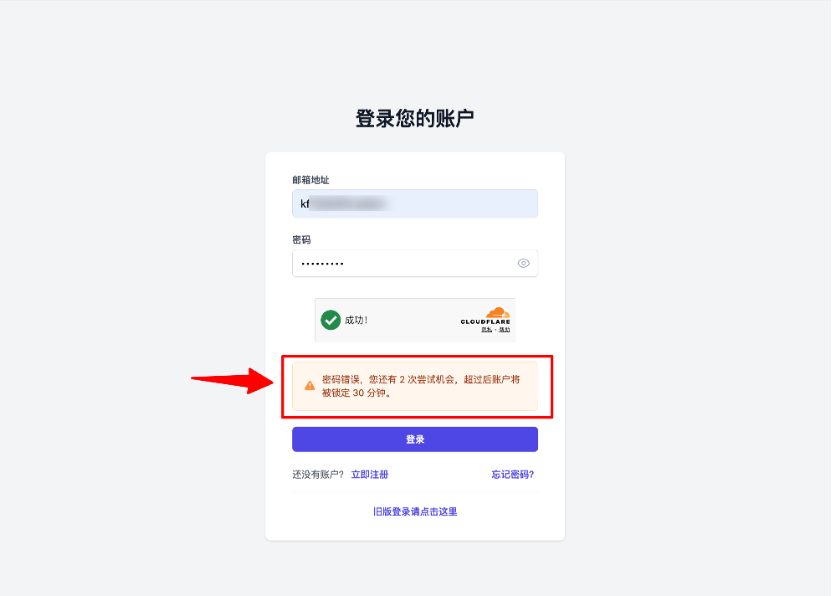
Kind Reminder If you forget your password, sub-accounts can contact the Super Administrator to reset it. If the Super Administrator forgets the password, please contact Sales or Qiabot after-sales support for assistance.
Other Product Bug Fixes:
- Fixed an issue where images in automated messages were sent as links.
- Optimized the occlusion caused by character limits in the dashboard input box.
- Resolved an issue where links in automated messages were sent in Markdown format.
- Fixed an issue where the system would automatically send a blank message after a customer service automated message was deleted.