2026.4.30 Product Update
Supports hiding chat history on the visitor side, sorting the conversation list by customer messages, launching IP direct links, and more.
New Features
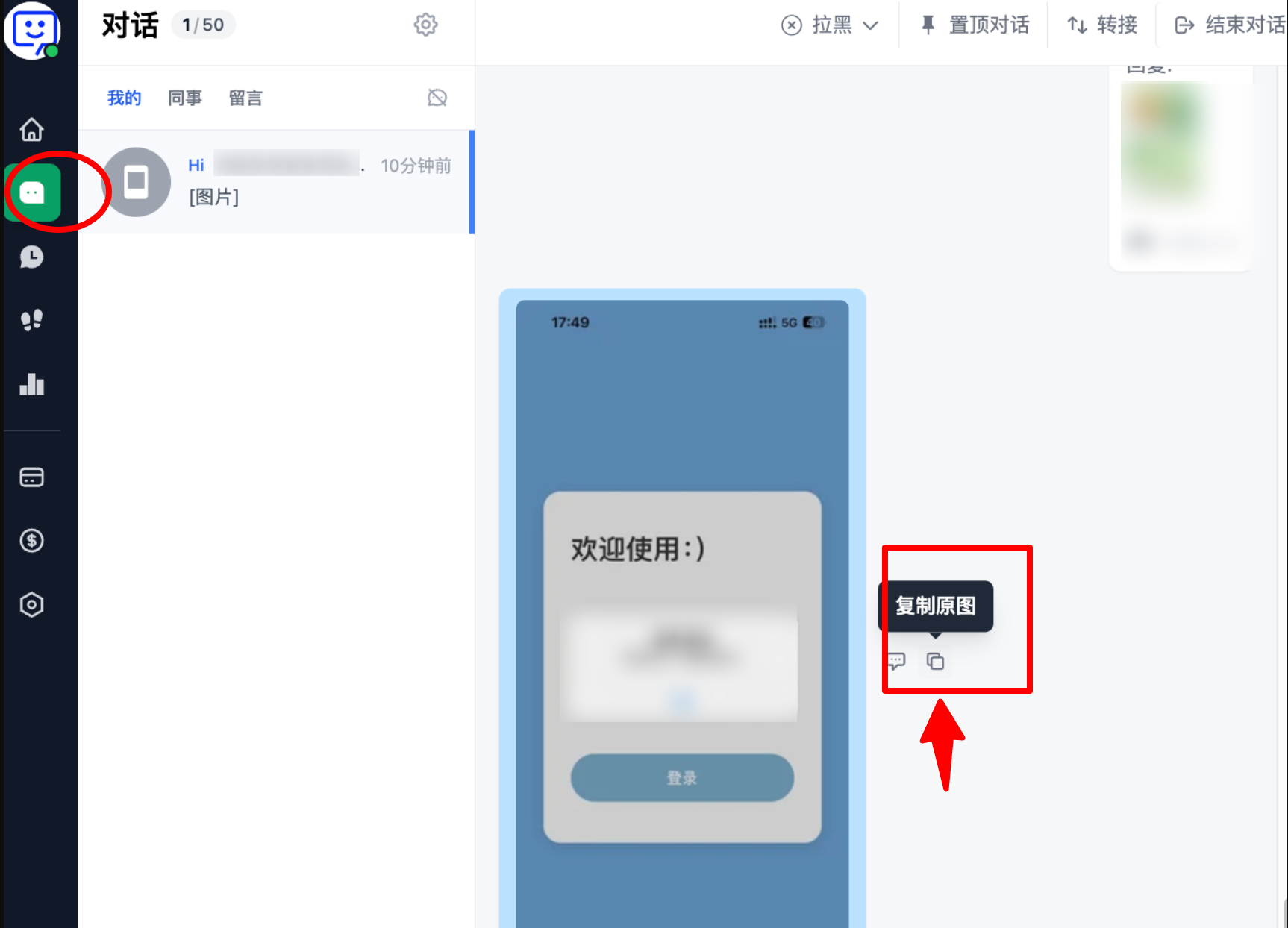
- Support copying original images in the workspace
In conversations, you can now directly copy the original images sent by customers in high definition, making it easier to view image details and improving customer service efficiency.
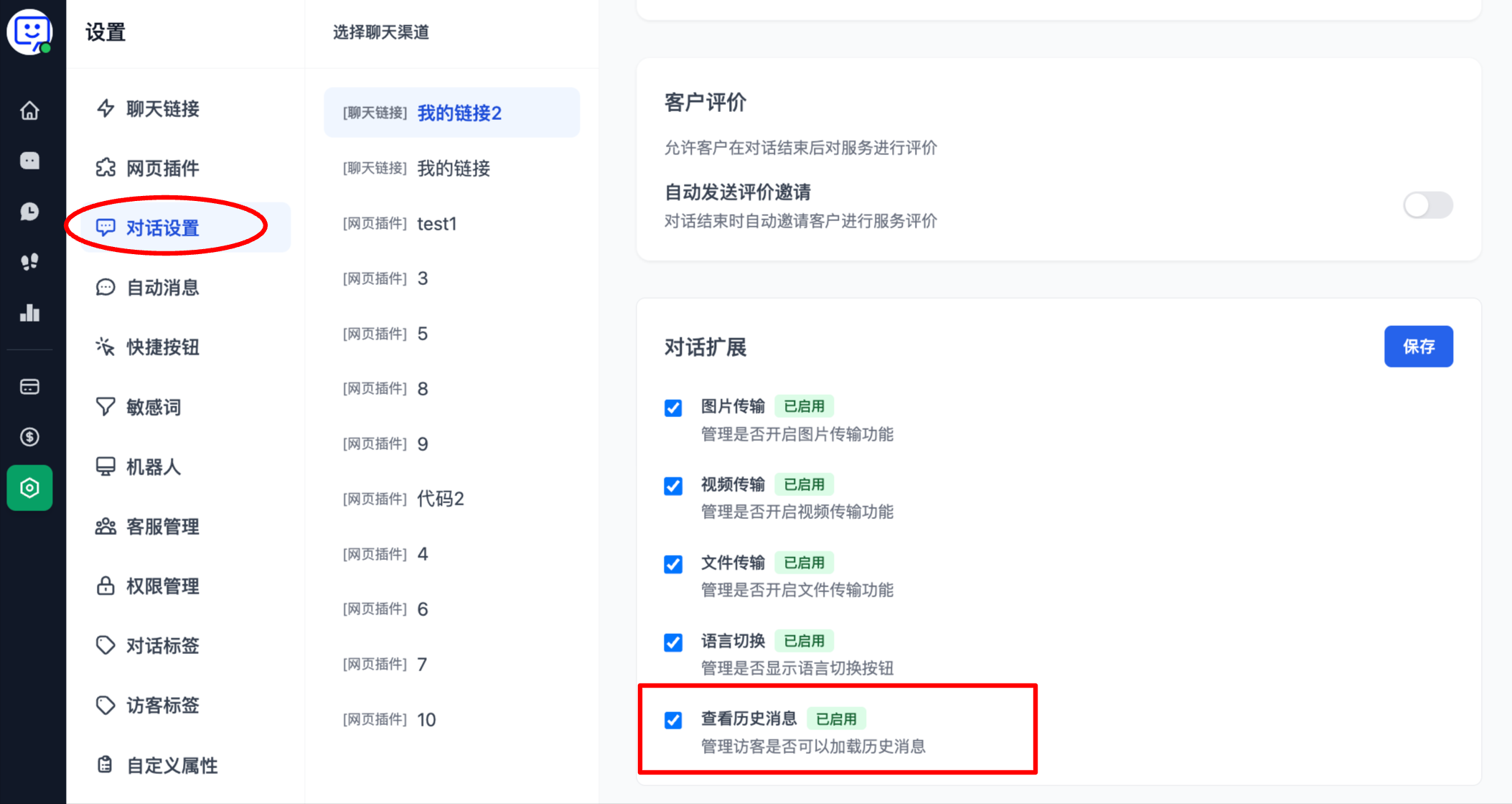
- Support hiding chat history on the visitor side
Go to Conversation Settings, scroll down to Conversation Extensions, and choose whether to enable View Chat History for visitors. After turning it off, visitors will no longer be able to see past chat records, while customer service agents can still view the full chat history.
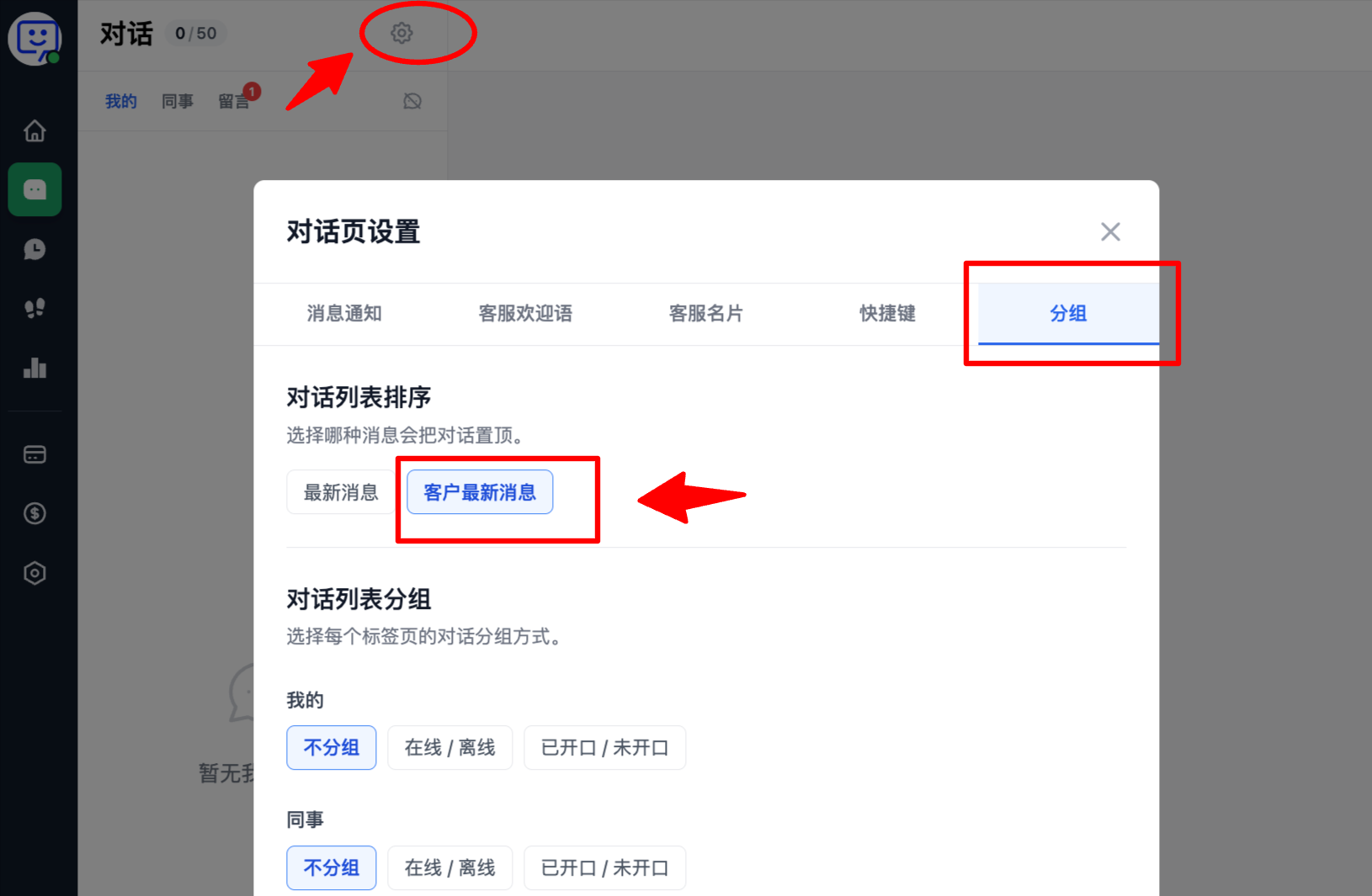
- New support for sorting the conversation list by Latest Customer Message
Click the Conversations icon on the left side of the system, then click Conversation Page Settings in the upper-right corner of the conversation panel. Select Grouping, and then choose Latest Customer Message in the conversation list sorting options.
After setting it up, conversations will be sorted based on the latest reply from visitors, making it much easier for agents to prioritize replies across multiple chats.
- Launch of IP Direct Links
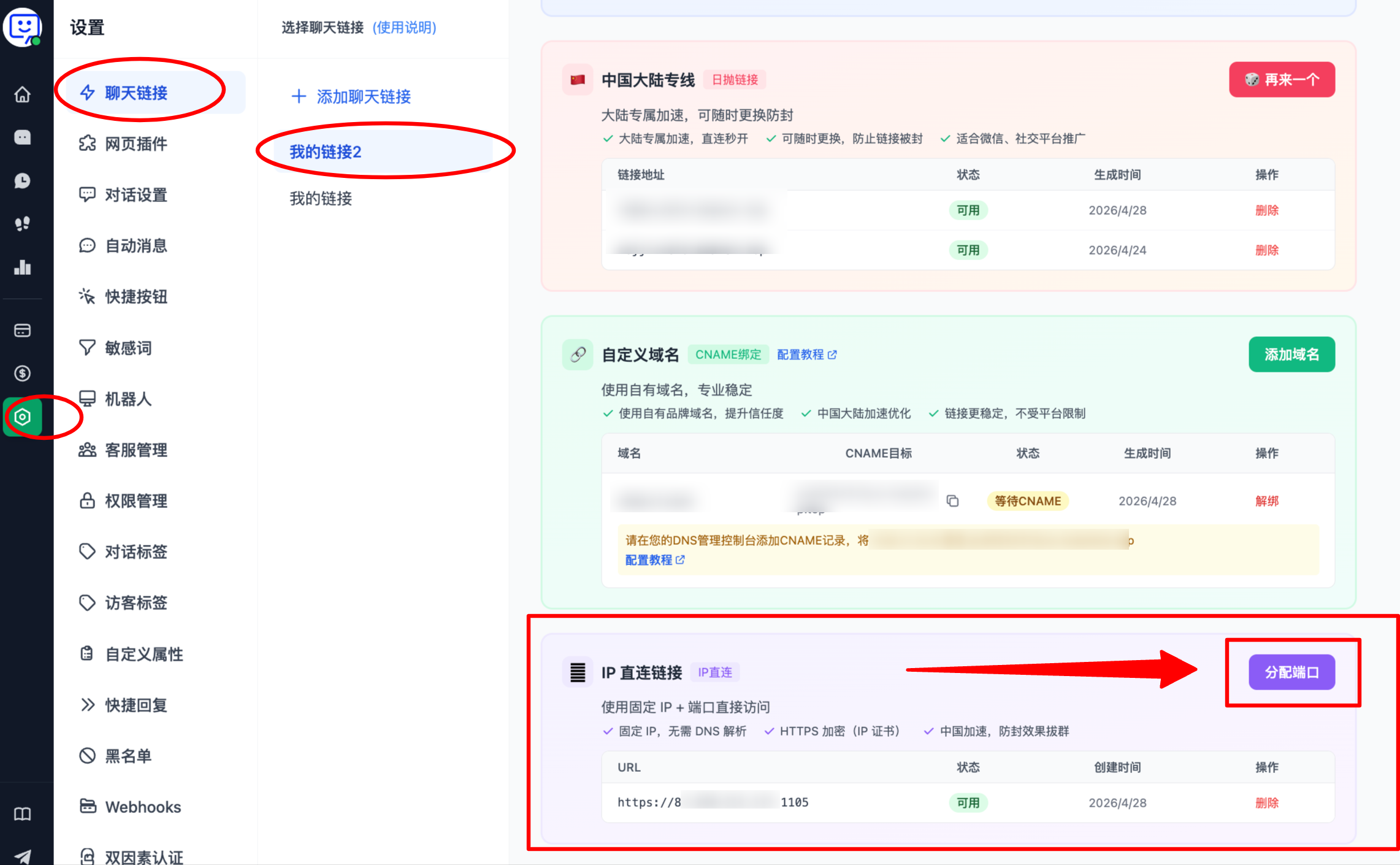
To address the issue of telecom carriers blocking links, we officially now support IP Direct Links!
Click Settings -> Chat Links, scroll down to the IP Direct Links module, and select Assign Port to generate a new link. This link does not require DNS resolution and is also secured with HTTPS, allowing it to bypass carrier blocking more smoothly.
- Support referral rewards: earn a 12% commission on order amounts
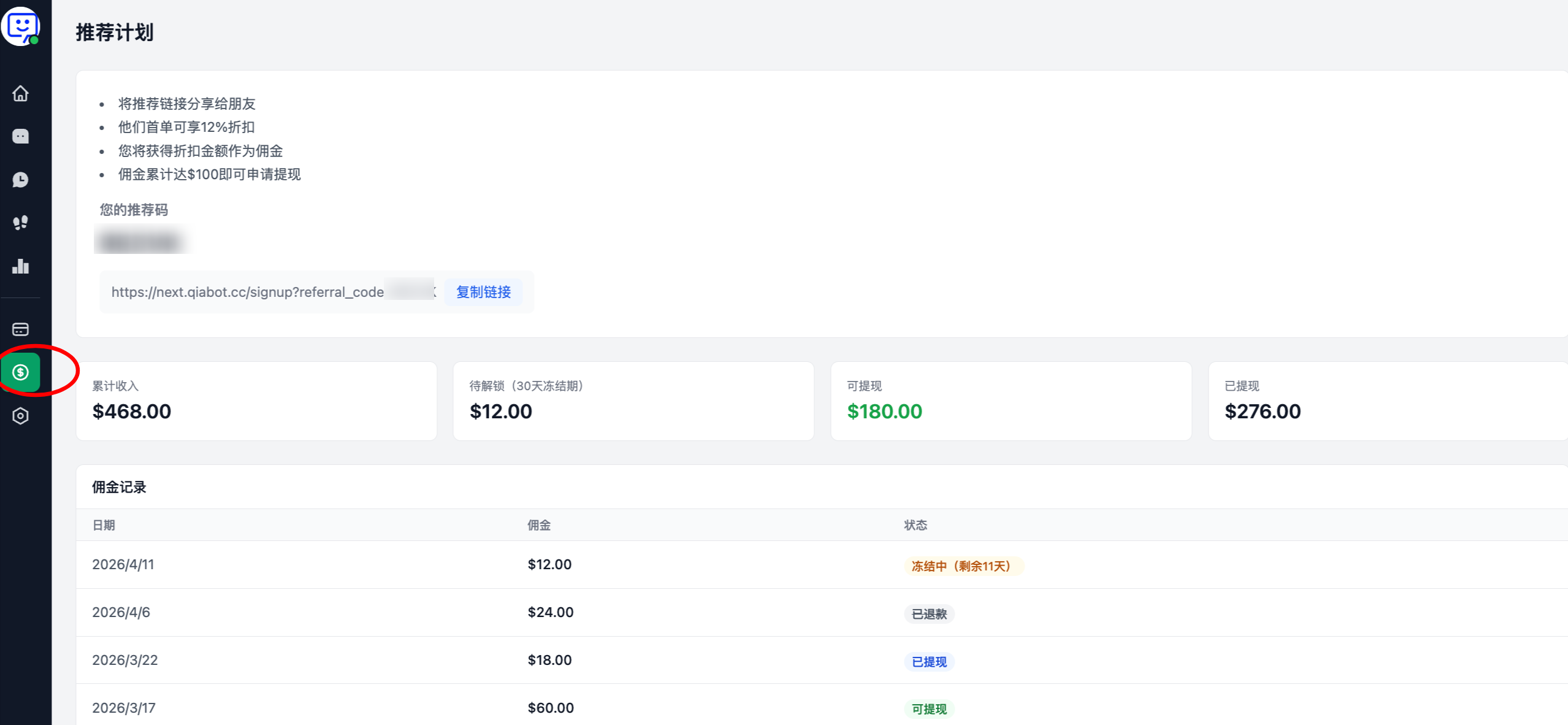
Now, existing customers can invite friends to register and use Qiabot through their exclusive referral link.
When a referred friend places their first order: they will receive a 12% discount on their first purchase, and you will receive a commission equal to 12% of that first order amount.
Click the coin icon on the left side of the system to enter the Referral page, copy your exclusive referral link, and send it to your friends. When they place an order, both of you benefit!
Other Fixes and Optimizations
- Support zooming in, zooming out, and saving images in the APP
- Fixed the APP login issue where account passwords could trigger errors
- Fixed the issue where FAQ could still appear on mobile when it was not enabled
- Fixed the issue of the yellow Poor Network banner appearing at the top of the workspace
- Fixed the occasional image loading issue in customer service links
- Changed Pending Assignment to Messages, and optimized the automatic message sending logic when agents are offline