
"No Domain Required: How IP Direct Links Keep Your Live Chat Reachable in China"
DNS pollution and GFW domain blocking are the most common reasons live chat tools go dark for customers in mainland China. IP direct links bypass DNS entirely — no domain needed, no blocking risk, stable access for your Chinese customers.
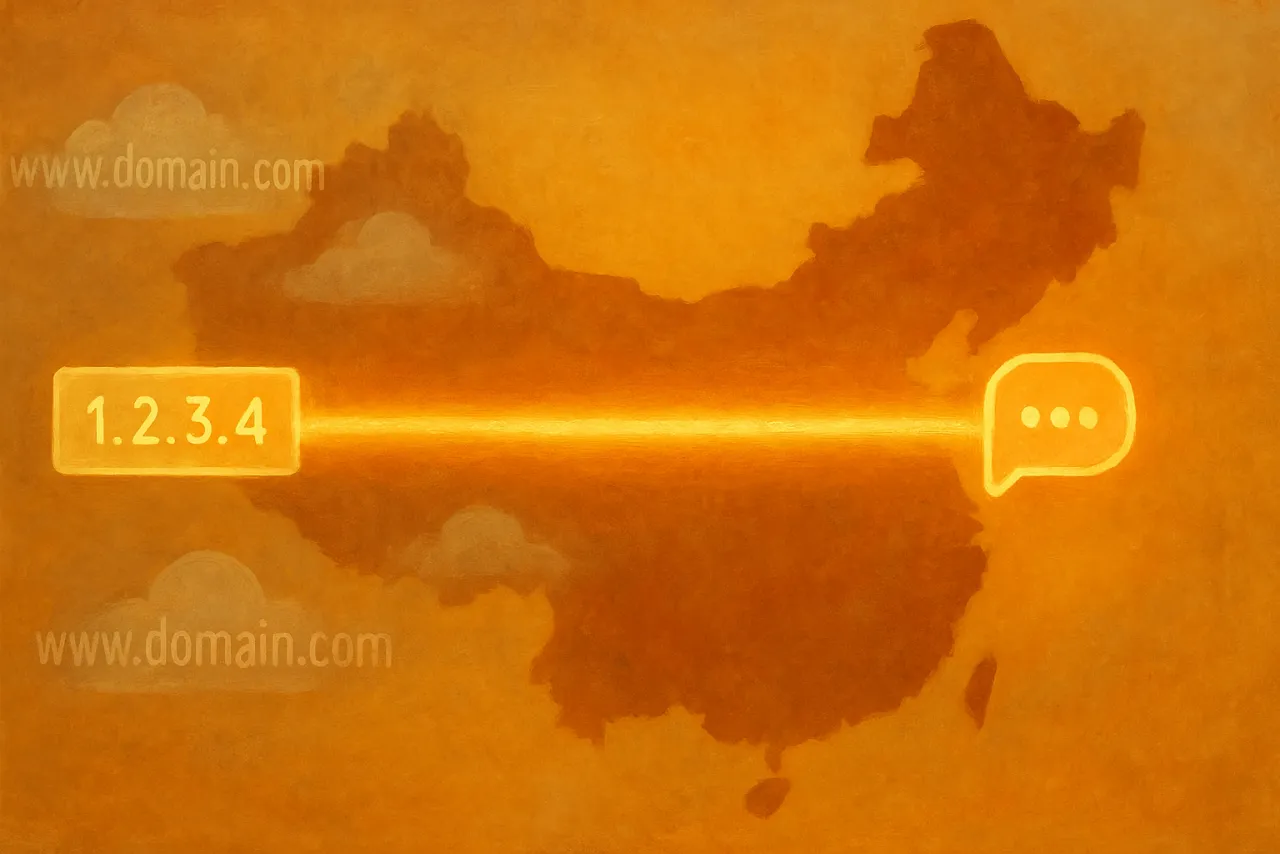
TL;DR — IP direct links use a fixed IP address and port number to connect directly to your chat service, with no domain involved and no DNS lookup required. That means GFW's DNS poisoning and domain blacklists have no effect on them. For teams serving customers in mainland China, it's one of the most reliable chat access methods available.
One afternoon, a colleague messages you: "A customer says our chat window isn't loading."
You check the server — everything looks fine. Traffic is flowing, other regions aren't affected. The problem is isolated to users in mainland China.
A few minutes later, you figure it out: the domain in your chat link has been blocked.
How a Domain Gets "Suddenly" Blocked
The Great Firewall (GFW) uses two primary mechanisms to block domains:
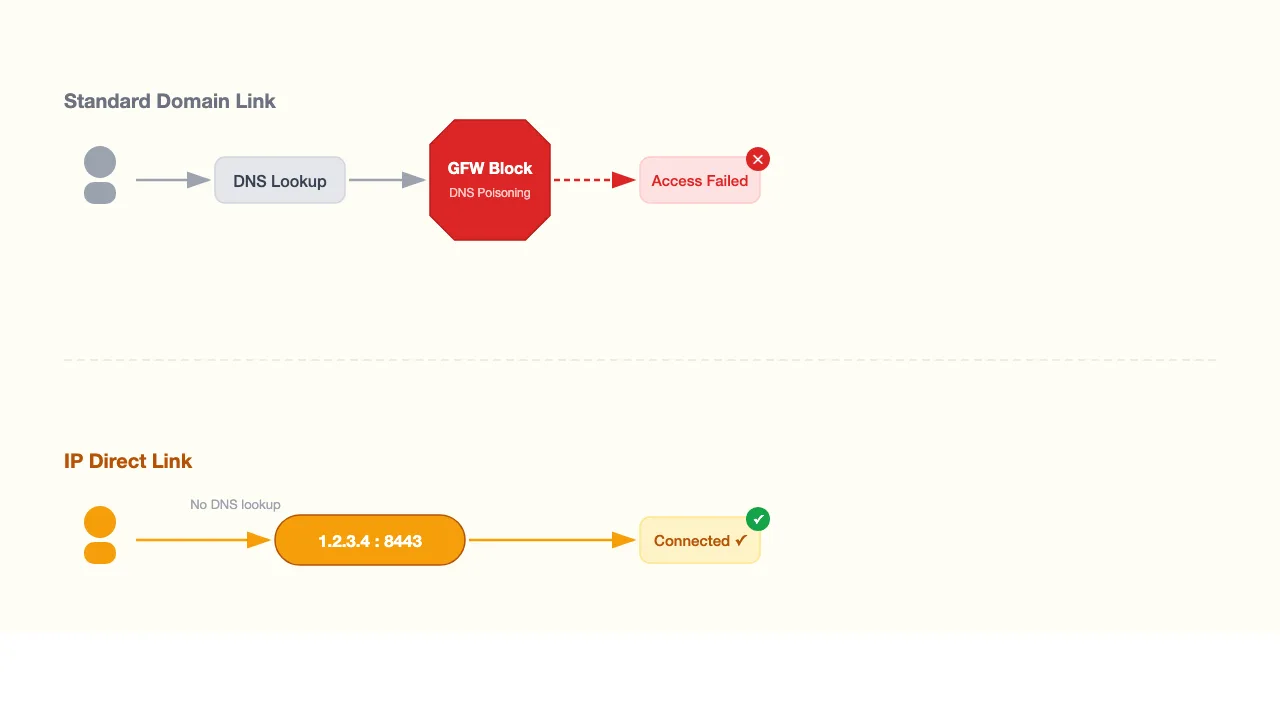
DNS poisoning: When a user in mainland China tries to access a domain, GFW intercepts the DNS query and returns a fake IP address. The user sees a connection timeout. The real server never receives the request.
Domain blacklisting: The domain is added to a blocklist. All requests to that domain are dropped, regardless of whether the server is functioning normally.
Both mechanisms share one requirement: there must be a domain involved for them to work.
Remove the domain from the equation, and both blocking mechanisms become ineffective.
How IP Direct Links Work
Instead of relying on a domain name, an IP direct link uses a fixed IP address and port number to connect directly to the service. The format looks like:
https://1.2.3.4:8443Comparing the two access paths:
| Access Method | Path | Requires DNS |
|---|---|---|
| Standard domain link | User → DNS lookup → IP → Server | Yes |
| IP direct link | User → Fixed IP → Server | No |
Skipping the DNS lookup step means GFW has no DNS layer to operate on. Poisoning doesn't work. Domain blacklisting doesn't apply.
Four Practical Advantages
1. No domain purchase required
Setting up an IP direct link requires no domain registration, purchase, or management. For teams just getting started or anyone who wants to go live quickly, it removes one step from setup and one recurring expense from the budget.
2. Immune to DNS poisoning
DNS poisoning works by intercepting DNS queries. IP direct links don't make DNS queries. Without a DNS lookup to intercept, GFW has no entry point — no matter how its DNS-layer filtering evolves.
3. Unaffected by GFW domain blocking
GFW's domain blacklists target domain strings, not IP addresses directly. IP direct links have no domain, so they can't be added to a domain blacklist. There's nothing to block in the first place.
4. Consistent availability
Because IP direct links don't depend on domain status, their availability doesn't fluctuate with GFW's blocking activity. Access stability in mainland China is significantly higher compared to domain-based links — and there's nothing to "replace" or "renew" when things get blocked.
Best Use Cases
| Scenario | Why it fits |
|---|---|
| Teams with a significant mainland China customer base | Domain links can become unreliable in China at any time |
| Teams without an existing domain | Start receiving customer messages immediately, no domain required |
| Teams that want to avoid ICP filing | IP direct links don't require ICP registration (custom domain solutions often do) |
| High-uptime requirements | No domain-related failure modes, lower operational overhead |
Comparison with Other Access Methods
Qiabot offers several chat link options:
| Access Method | Needs Domain | Uses DNS | GFW Domain Blocking | DNS Poisoning | China Stability |
|---|---|---|---|---|---|
| Global CDN link | No | Yes | Possible | Possible | Inconsistent |
| China mainland link | No | Yes | Possible (replaceable) | Possible | Moderate |
| Custom domain | Yes | Yes | Possible | Possible | Moderate |
| IP direct link | No | No | Not affected | Not affected | Most stable |
China mainland links (disposable/rotating links) handle blocking by allowing you to swap to a new domain when one gets blocked. IP direct links take a different approach: they eliminate the domain variable entirely, so there's no blocking to respond to.
Frequently Asked Questions
Is an IP direct link secure? What about HTTPS?
Yes. IP direct links use HTTPS with an IP-based certificate. The encryption mechanism is the same as with domain-based TLS certificates — your customers' conversations are fully protected in transit.
Will the IP address format look unusual to visitors?
For embedded chat widgets, visitors don't see the link address at all. The chat experience looks identical to any other widget. If you're sharing the link directly, the URL will show the IP + port format, which looks different from a standard web address. For embedded use, there's no visible difference.
Is the IP address fixed?
Yes. Qiabot assigns a dedicated fixed IP. It won't change automatically, so you don't need to update your chat links or notify customers about address changes.
Is any configuration required to set it up?
No. Go to Settings → Chat Links in your dashboard and request a port allocation. The system generates your IP direct link automatically — no DNS configuration or domain setup needed.
IP direct links can be enabled from Settings → Chat Links in your Qiabot dashboard. If you don't have an account yet, you can sign up and try it.