2026.3.6 Product Update
Pin quick replies, prevent auto-closing unreplied conversations, real-time online visitor data, sub-label filtering, and more.
Workbench Updates:
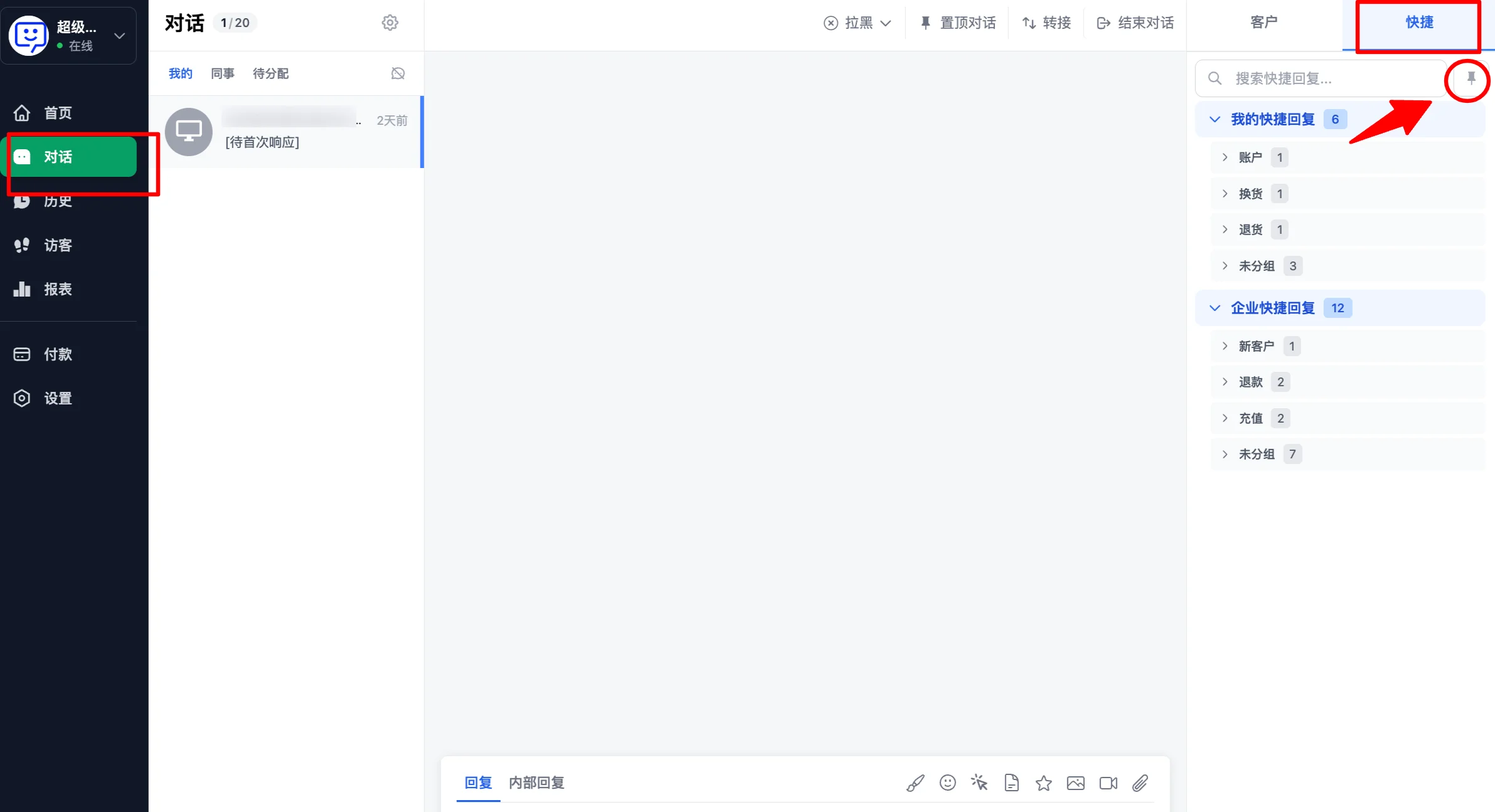
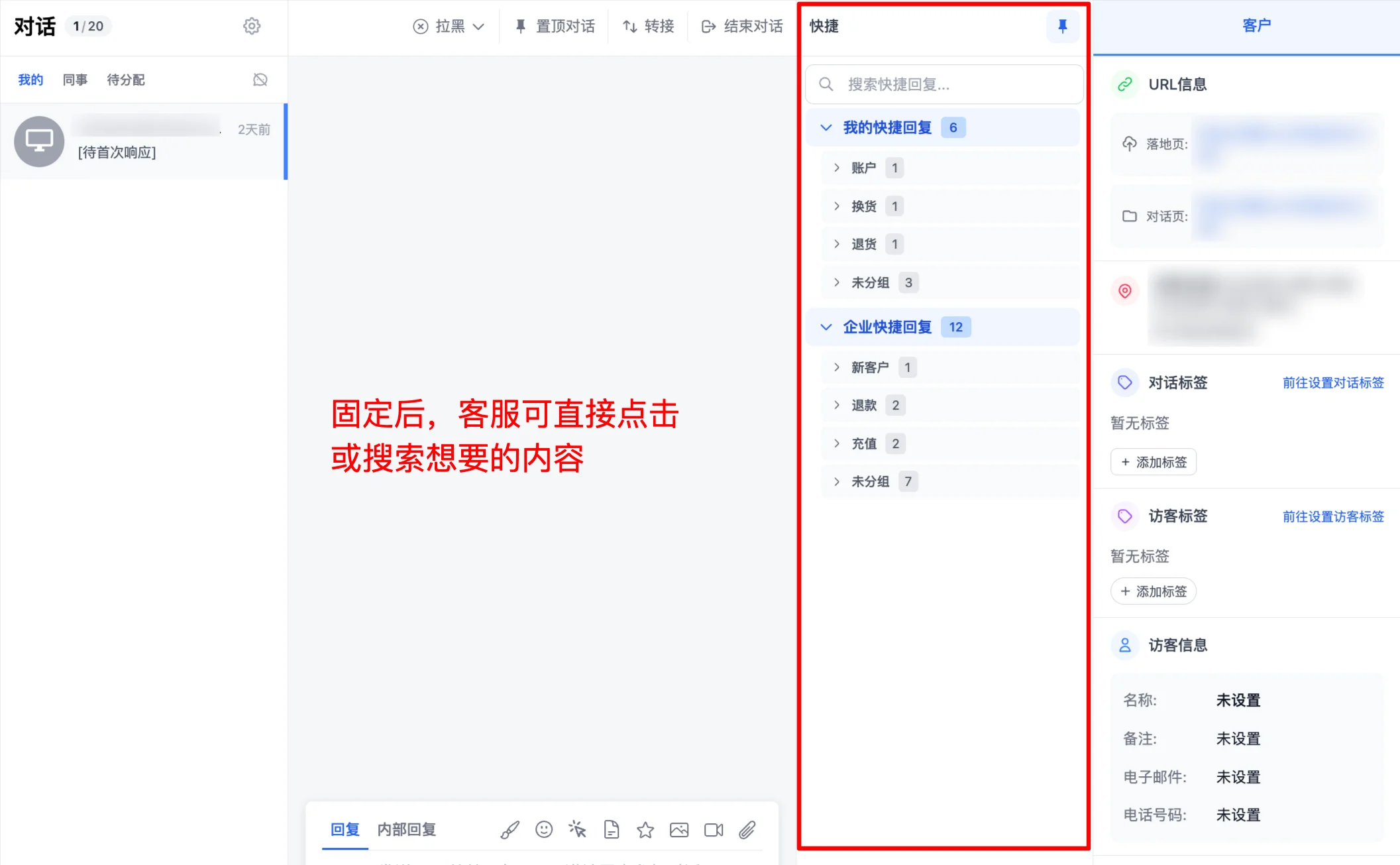
- Quick replies can now be pinned in the conversation window!
Simply click "Conversations", open the conversation panel, click the "Quick Replies" section on the right side, then click the "pin" icon to pin your quick reply content:
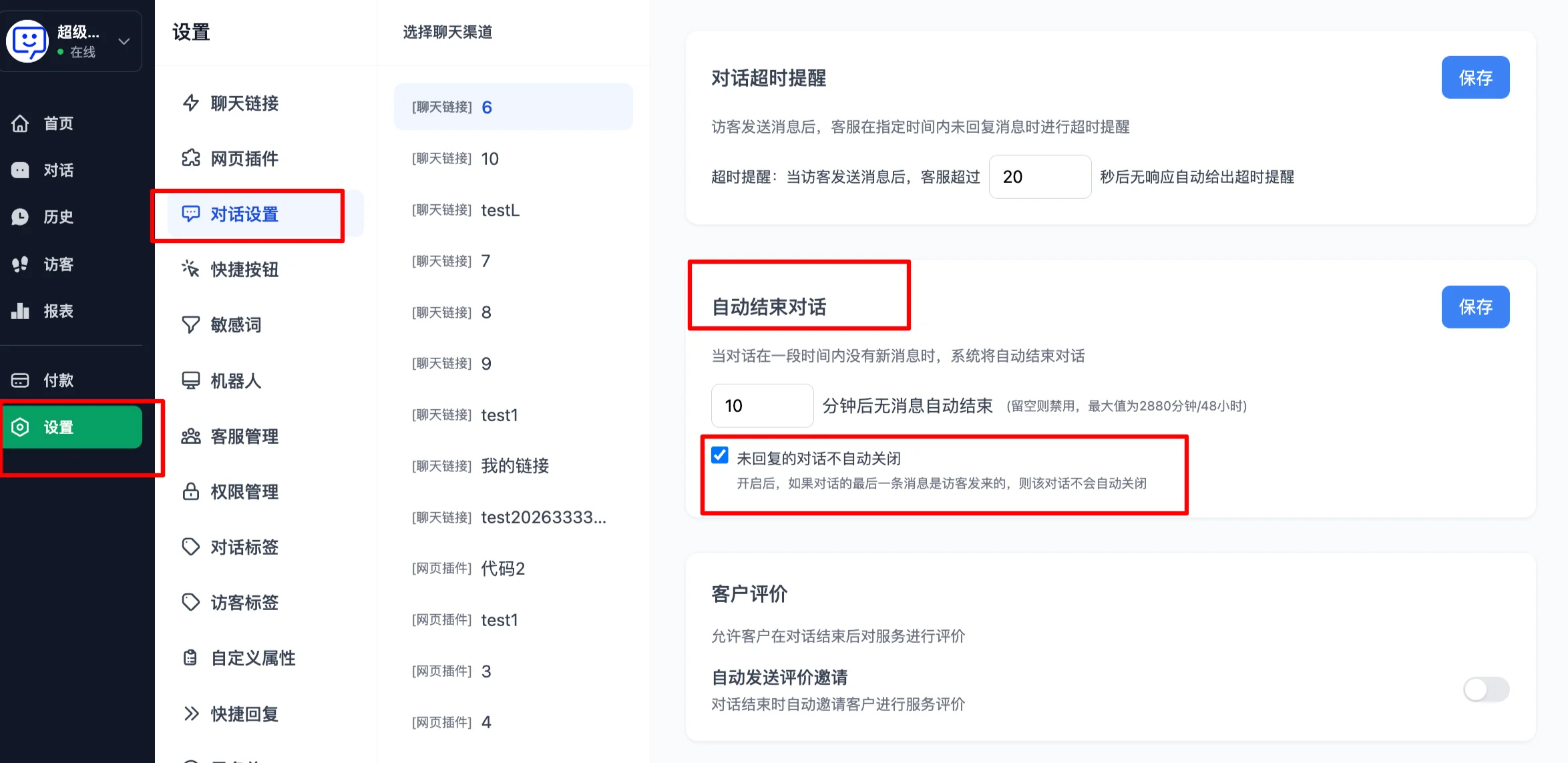
- Option to prevent auto-closing conversations that agents haven't replied to
Previously, when "Auto-close conversations" was enabled, the system would close conversations after the set time regardless of whether the agent had replied. Now there is a new sub-option: "Do not auto-close unreplied conversations". With this option enabled, even if the conversation has exceeded the set time limit, it will not be automatically closed as long as the agent hasn't replied to the user's message. This prevents missed replies when agents are busy.
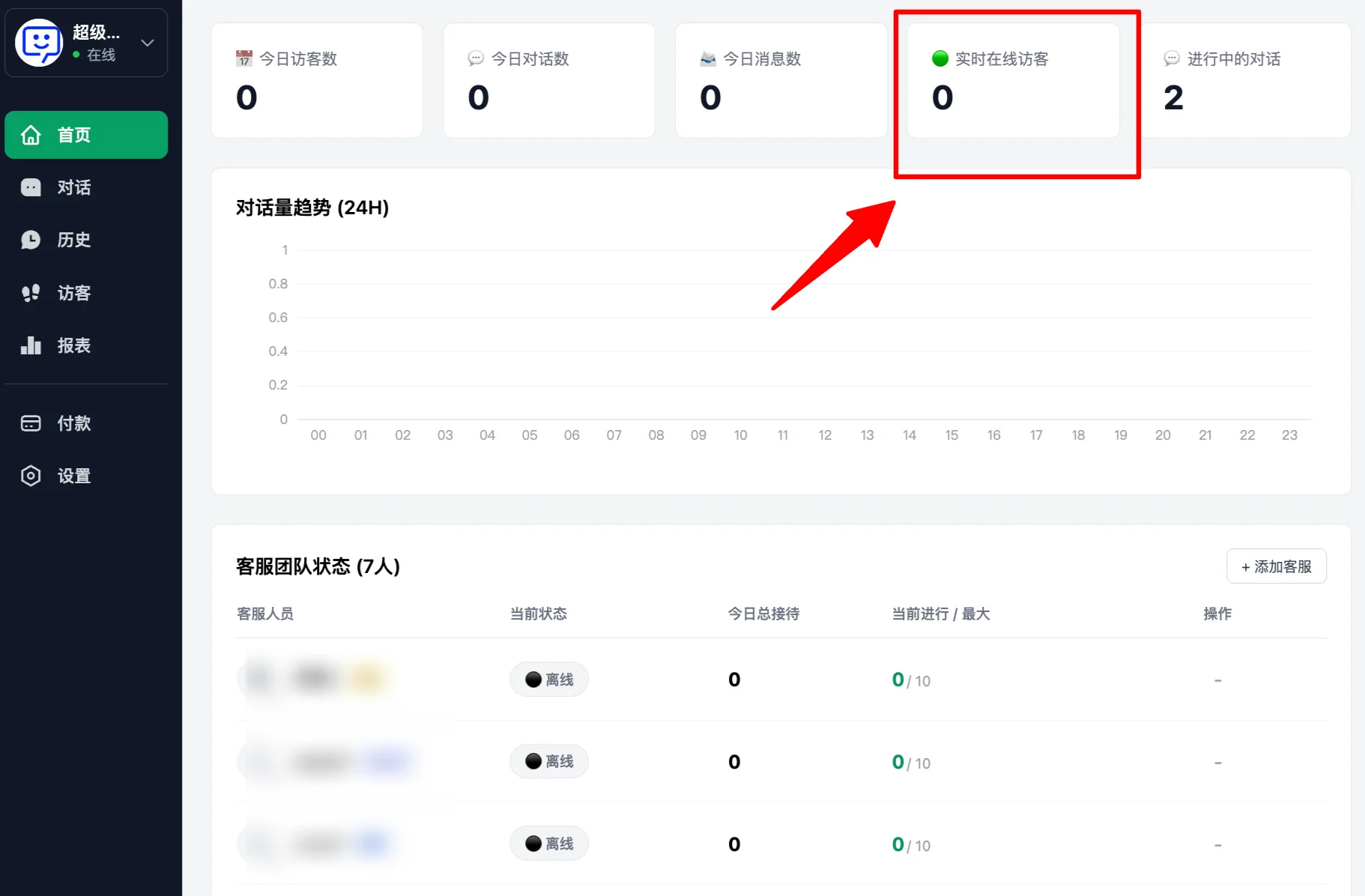
- Real-time online visitor data on the homepage
With this data, administrators can monitor the number of users accessing the chat link in real time, allowing flexible scheduling of agent shifts.
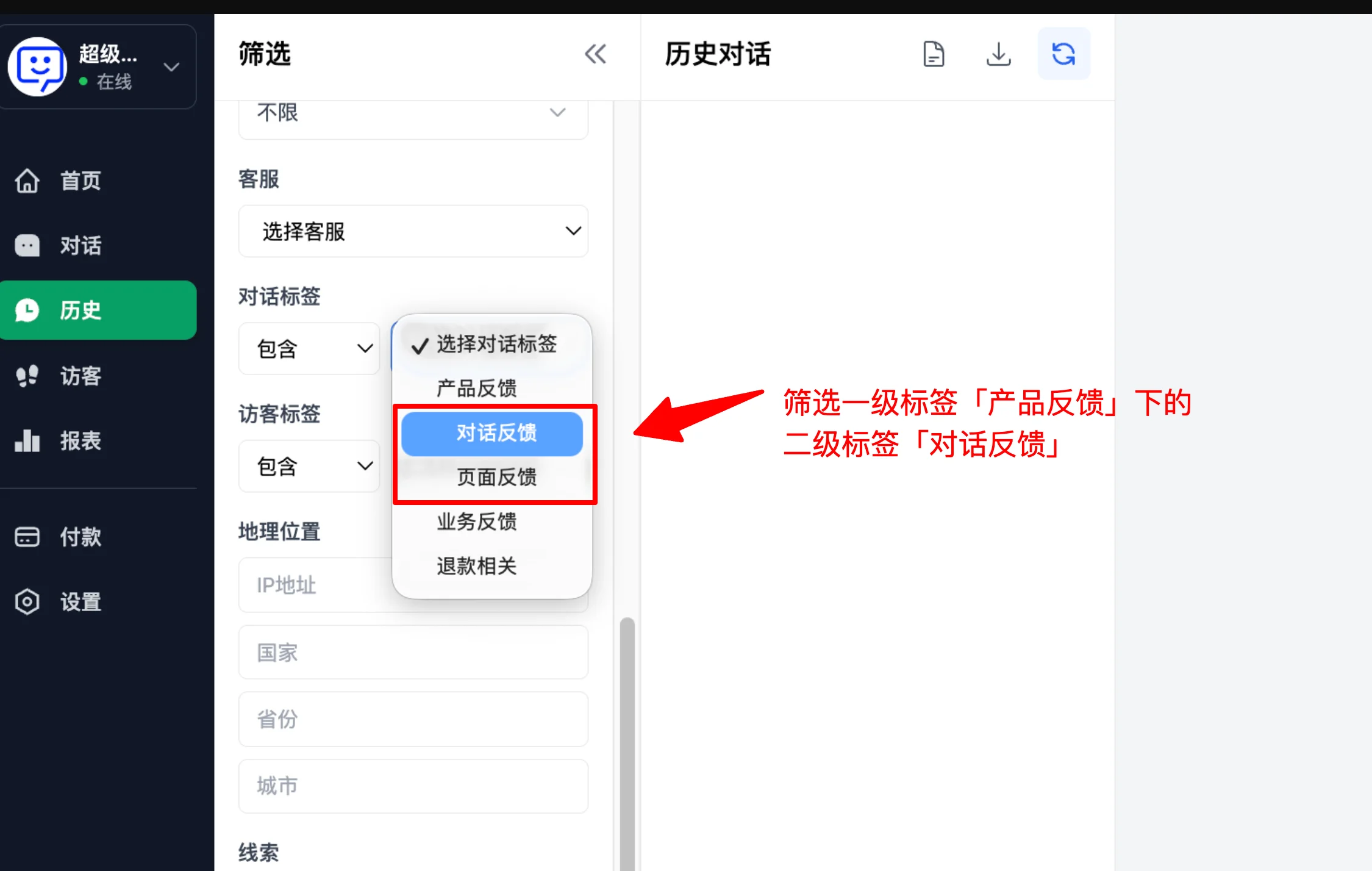
- History records now support filtering by sub-labels
Previously, history records only supported searching by primary labels. Now you can directly select sub-labels for more precise searches.
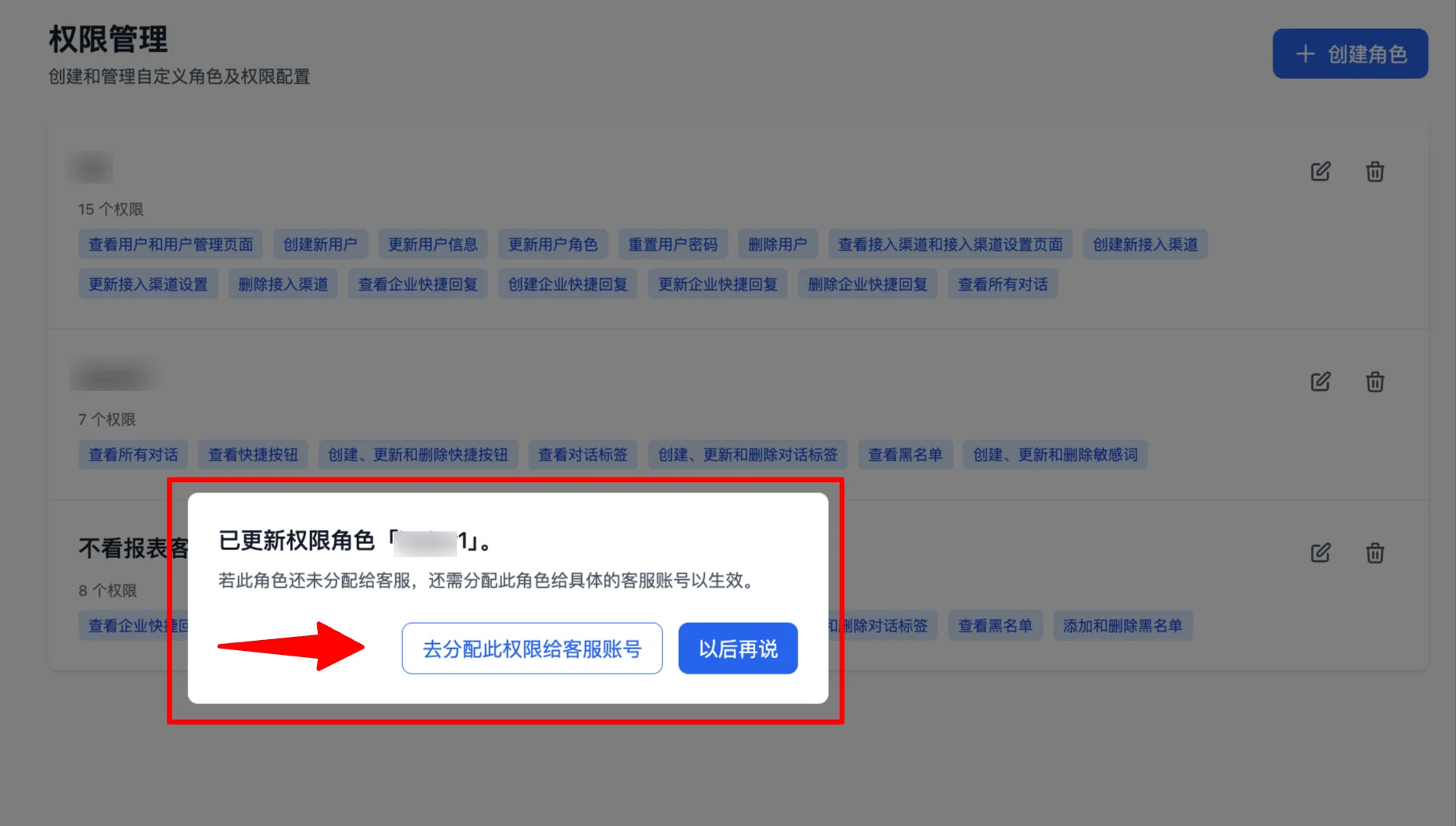
- New redirect prompt on the permissions management page
Previously, after creating a permission role, you had to manually navigate to "Agent Management" to assign the role to agents, which often caused confusion for administrators.
Now you can jump directly from the "Permissions Management" page to the "Agent Management" page to assign the newly created permission role to agent accounts, preventing missed assignments.
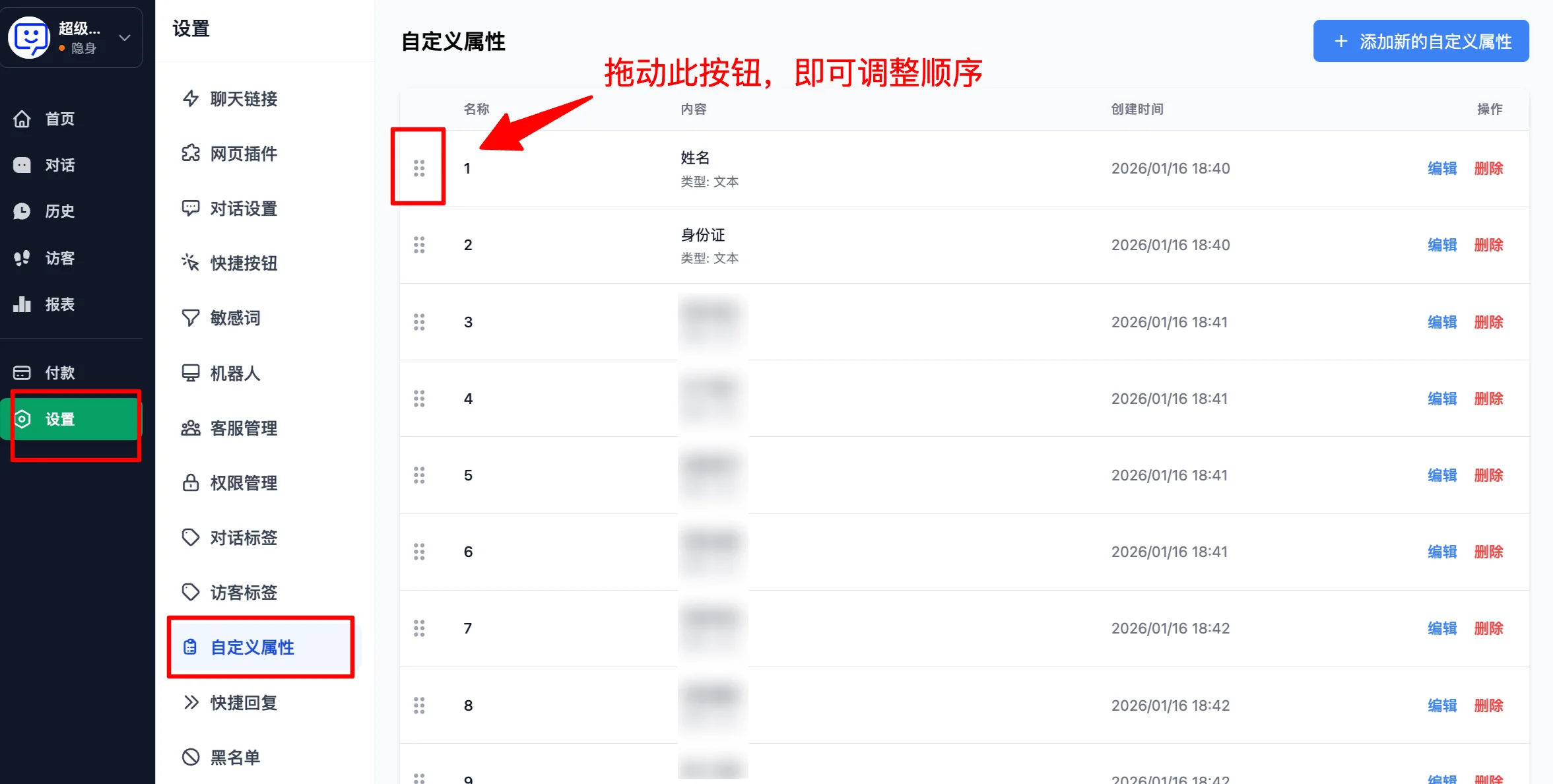
- Custom attributes now support sorting
In the backend under "Settings" > "Custom Attributes", you can now manually adjust the order of each attribute, making it easier for agents to serve users effectively.
Chat Widget Updates
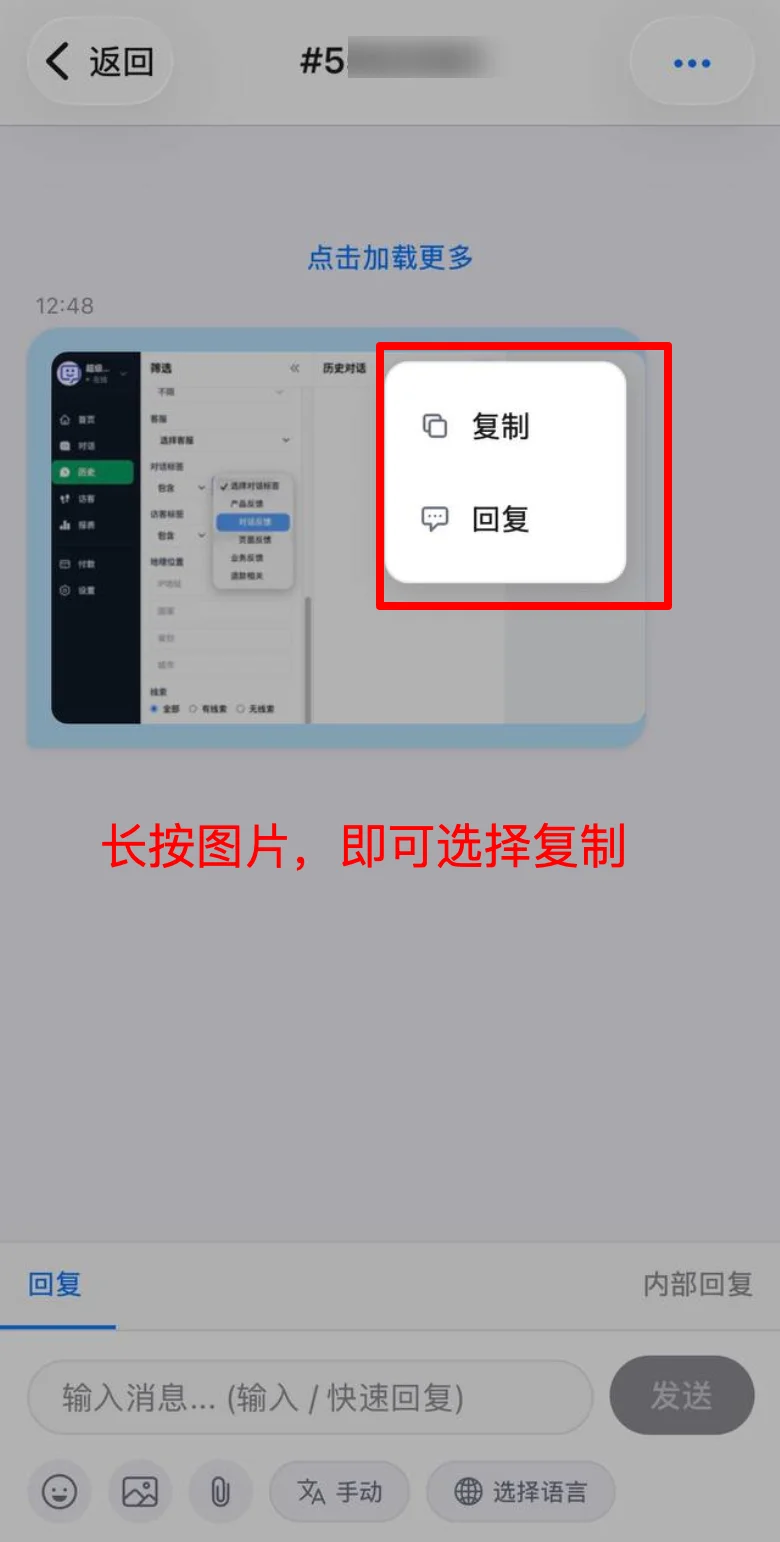
- Mobile app supports copying images
When a user sends an image, agents can simply long-press on it to copy, then paste it into another conversation to improve work efficiency.
- Users can switch languages in the chat window
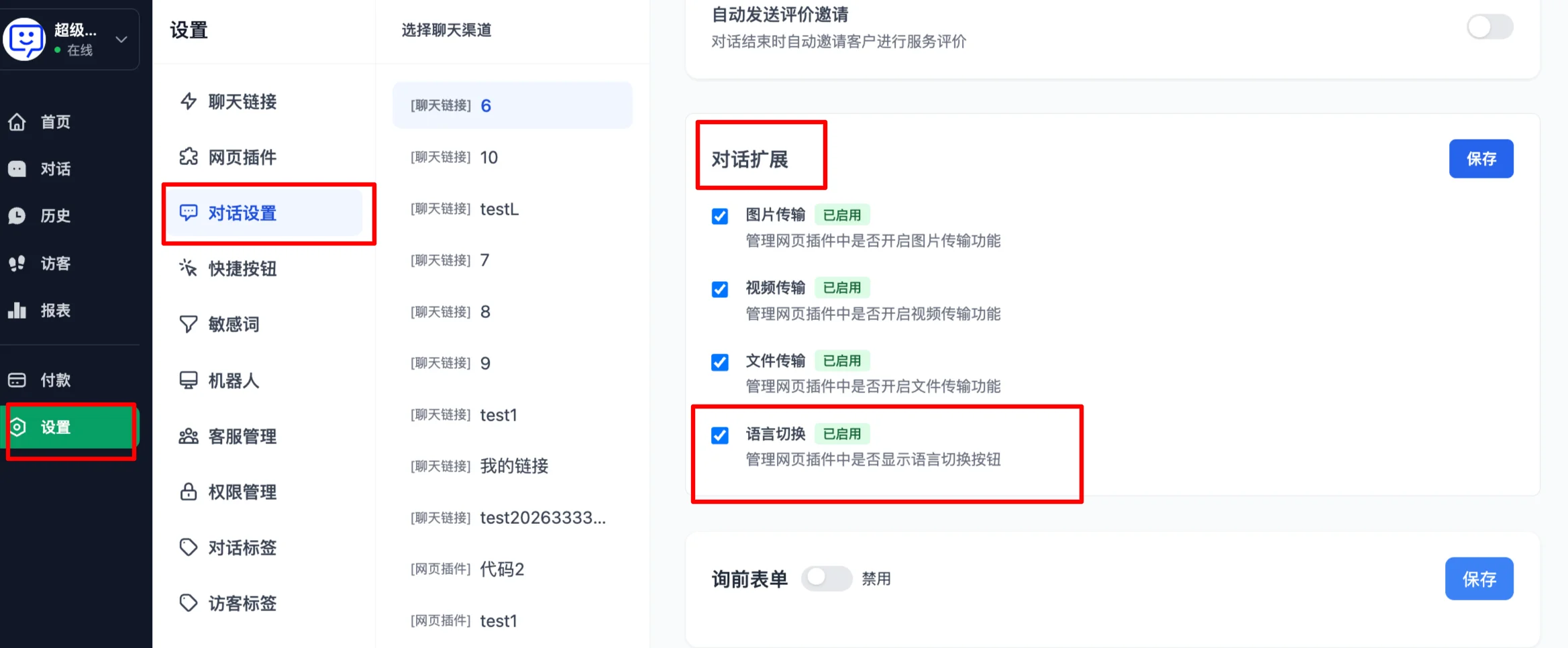
First, go to "Conversation Settings" > "Conversation Extensions" and add "Language Switching", then save.
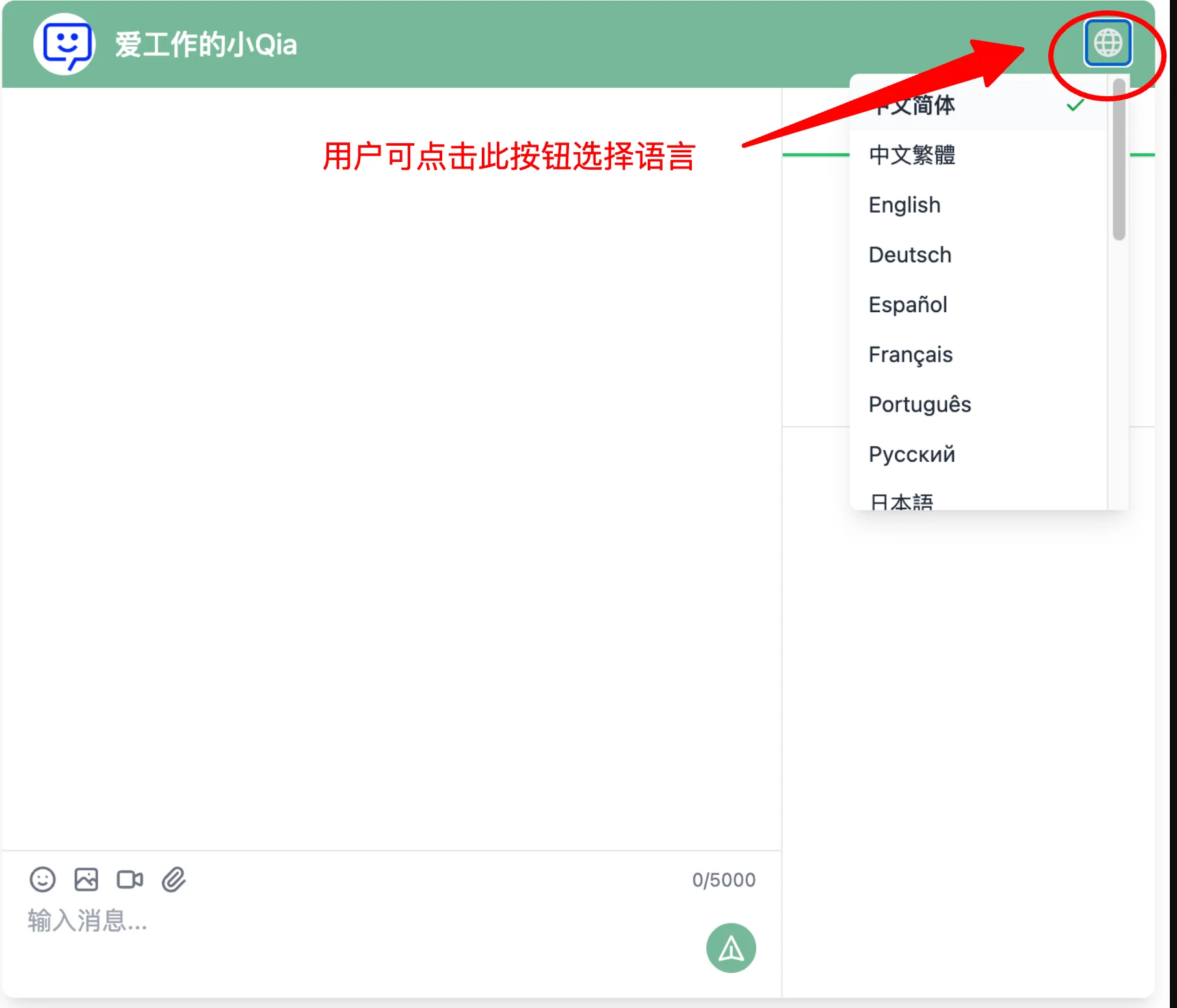
When users open the chat link, they can switch languages from the top-right corner.
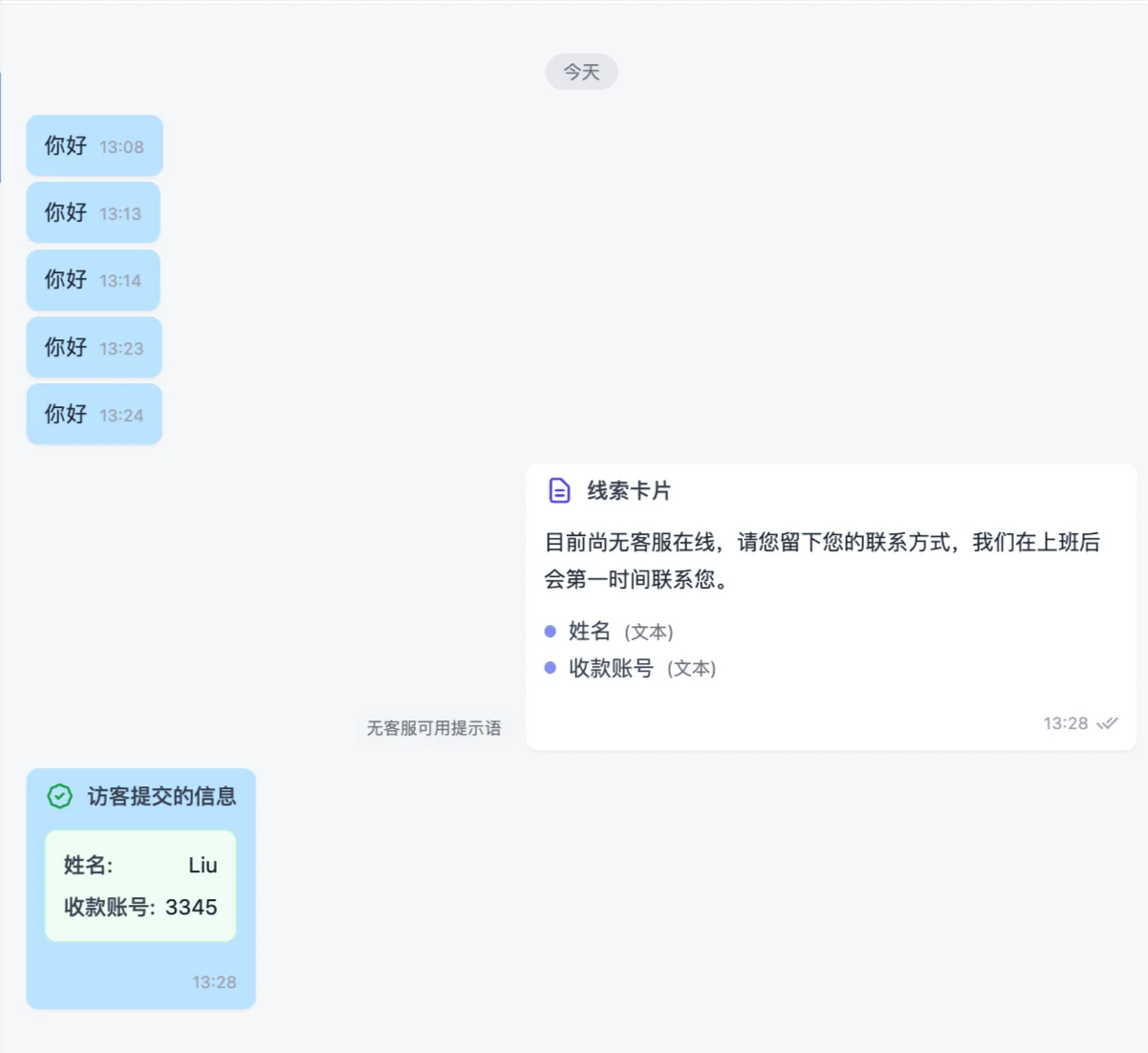
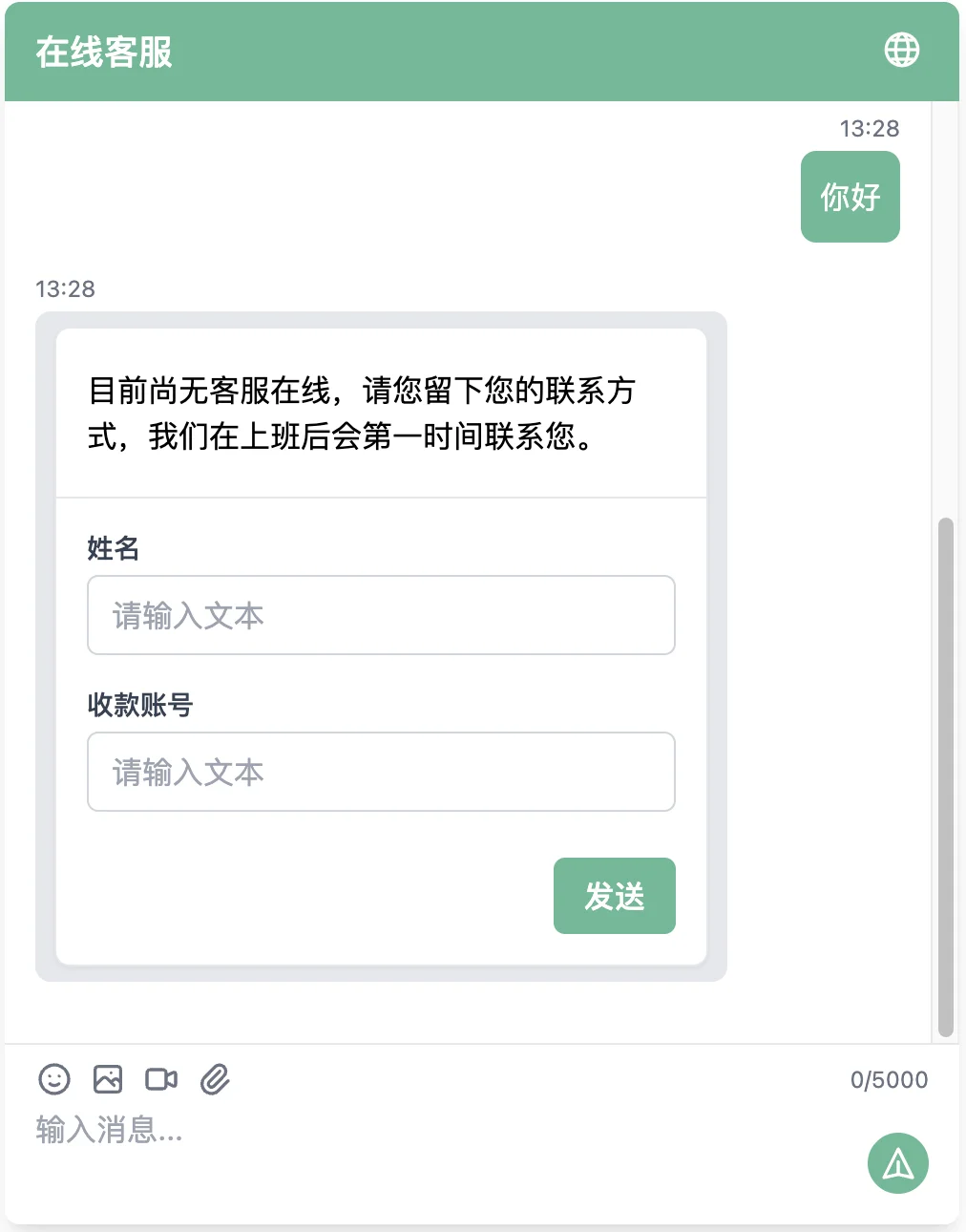
- Lead capture cards when agents are offline
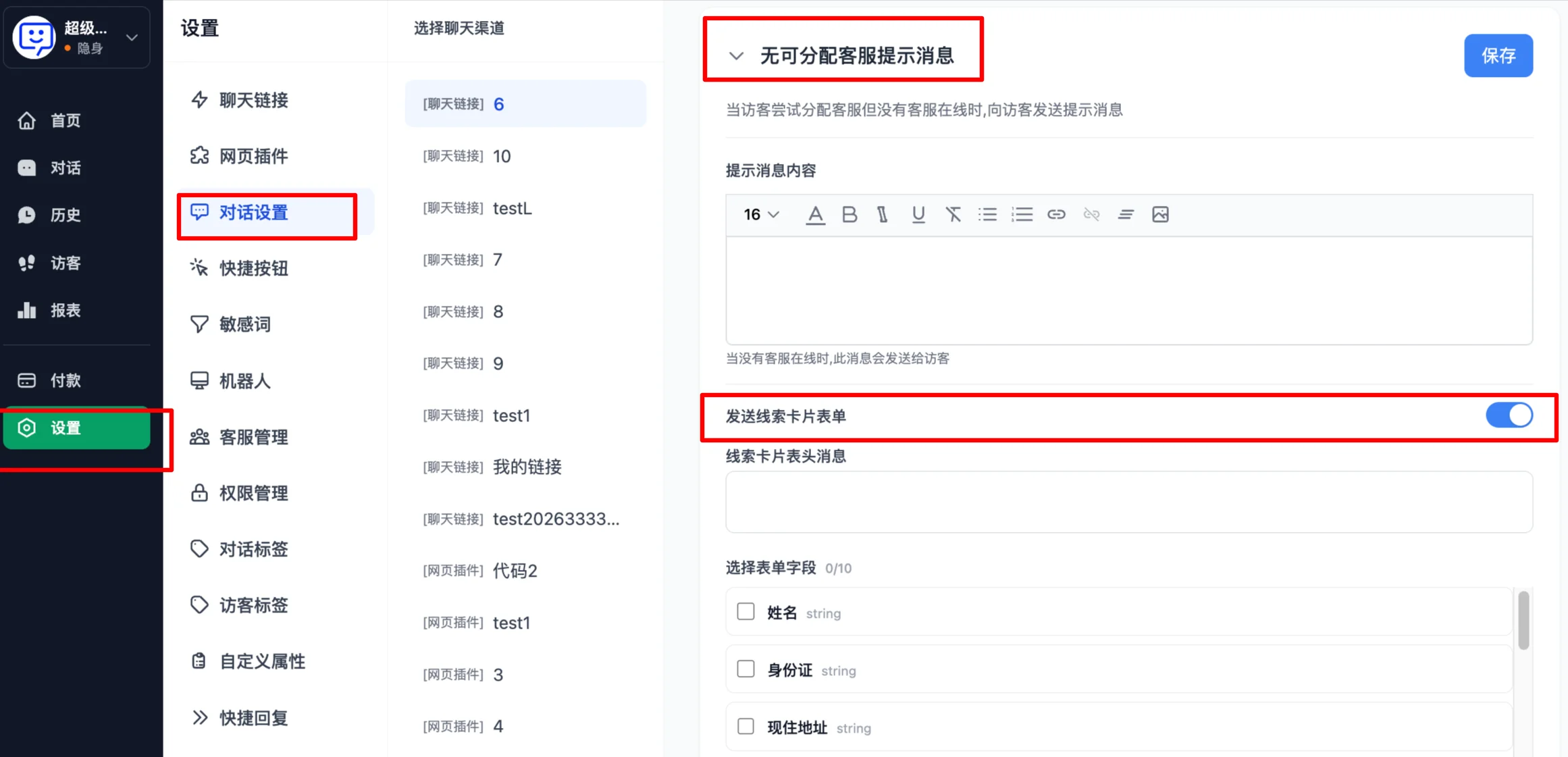
Go to "Settings" > "Conversation Settings" and enable "Send lead capture card form" under the "No available agent message" section, then save.
The user will see the following page where they can fill in their information and submit it to the system:
On the agent side, the following message will appear in the "Unassigned" queue: