
Advanced Features - Quick Replies
In a customer service system, quick replies are an essential feature that helps agents respond to visitor conversations rapidly, improving efficiency while ensuring visitors get the answers they need as quickly as possible. QIABOT's quick replies are divided into Company Replies and Personal Replies, giving agents the ability to customize their own responses for added professionalism and engagement.
How to Add Quick Replies in the Admin Panel
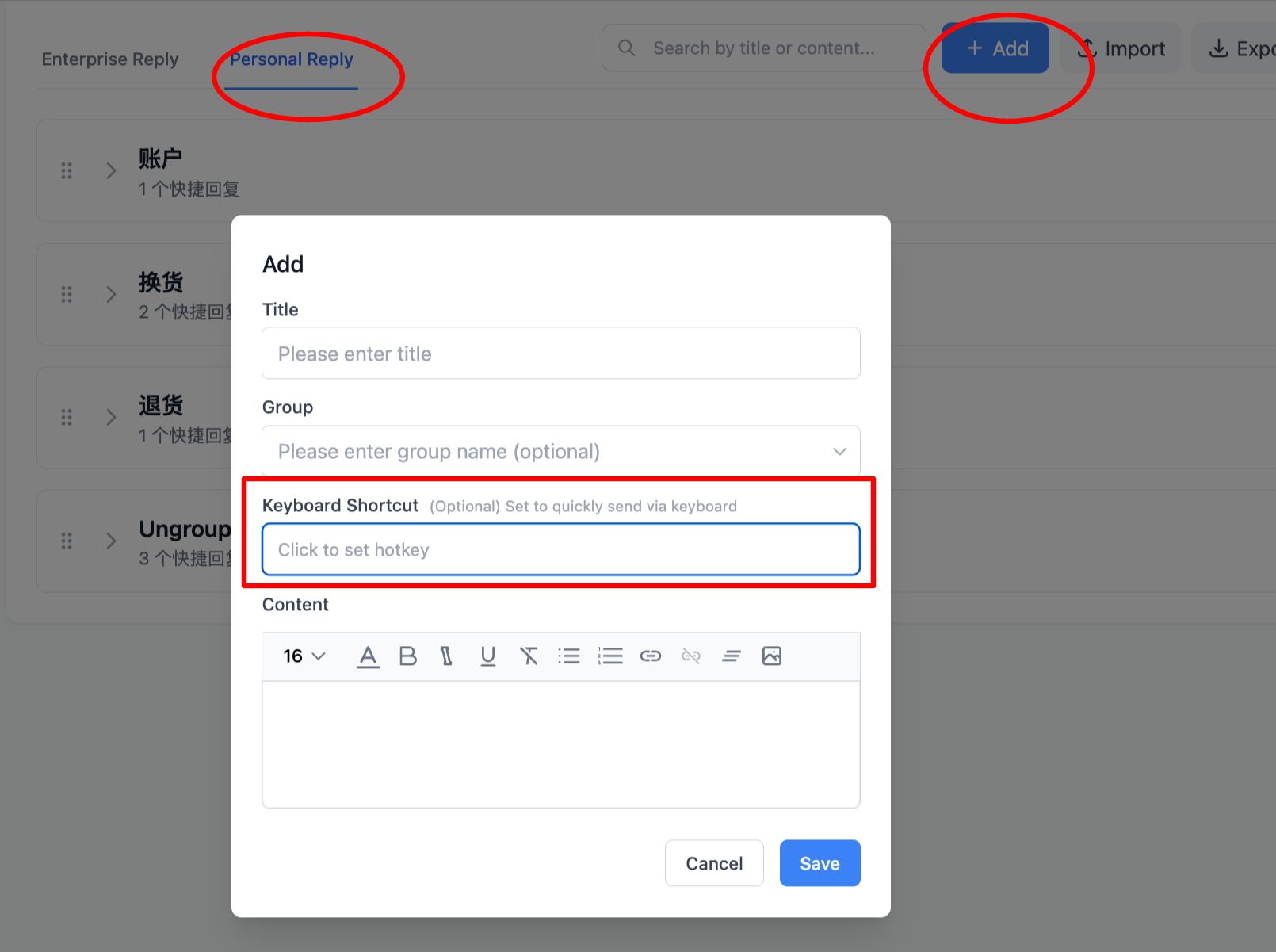
1.Click "Settings" at the bottom of the left navigation bar, then select "Quick Replies". You can then start adding quick replies.
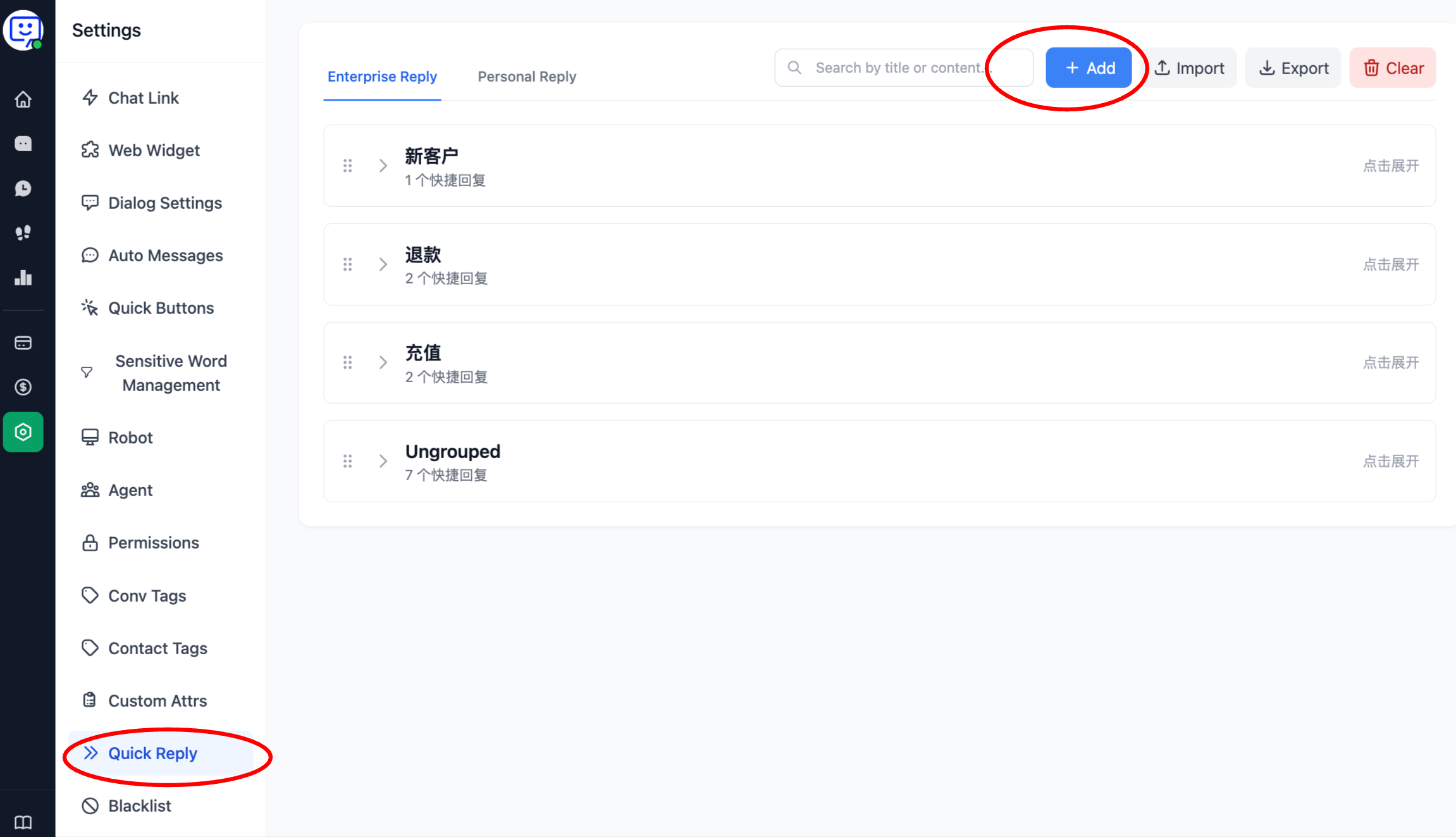
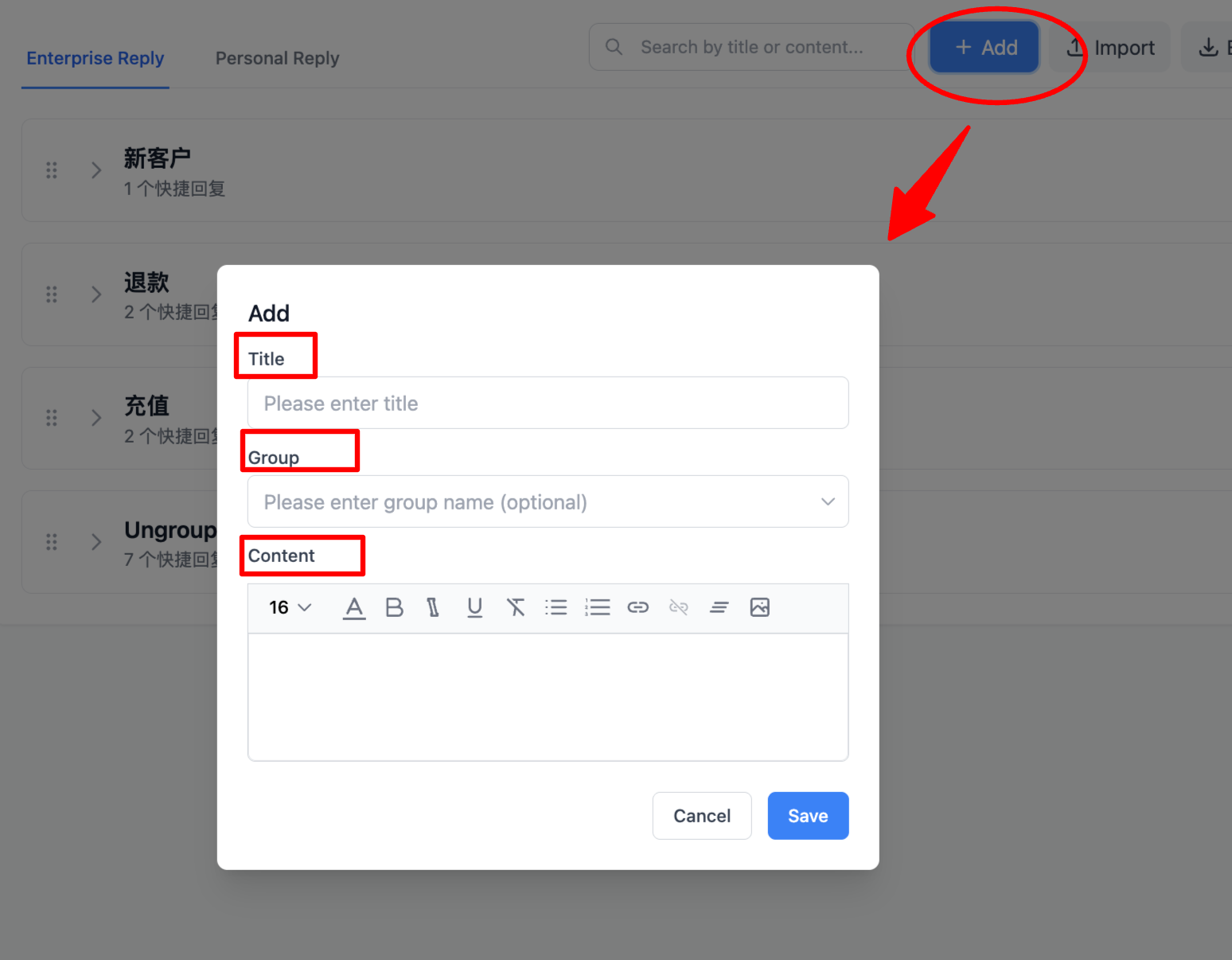
2.On the quick replies page, you can add replies under either "Enterprise Replies" or "Personal Replies". "Enterprise Replies" are visible to all agents, while "Personal Replies" are created by individual agents and only visible to the creator.
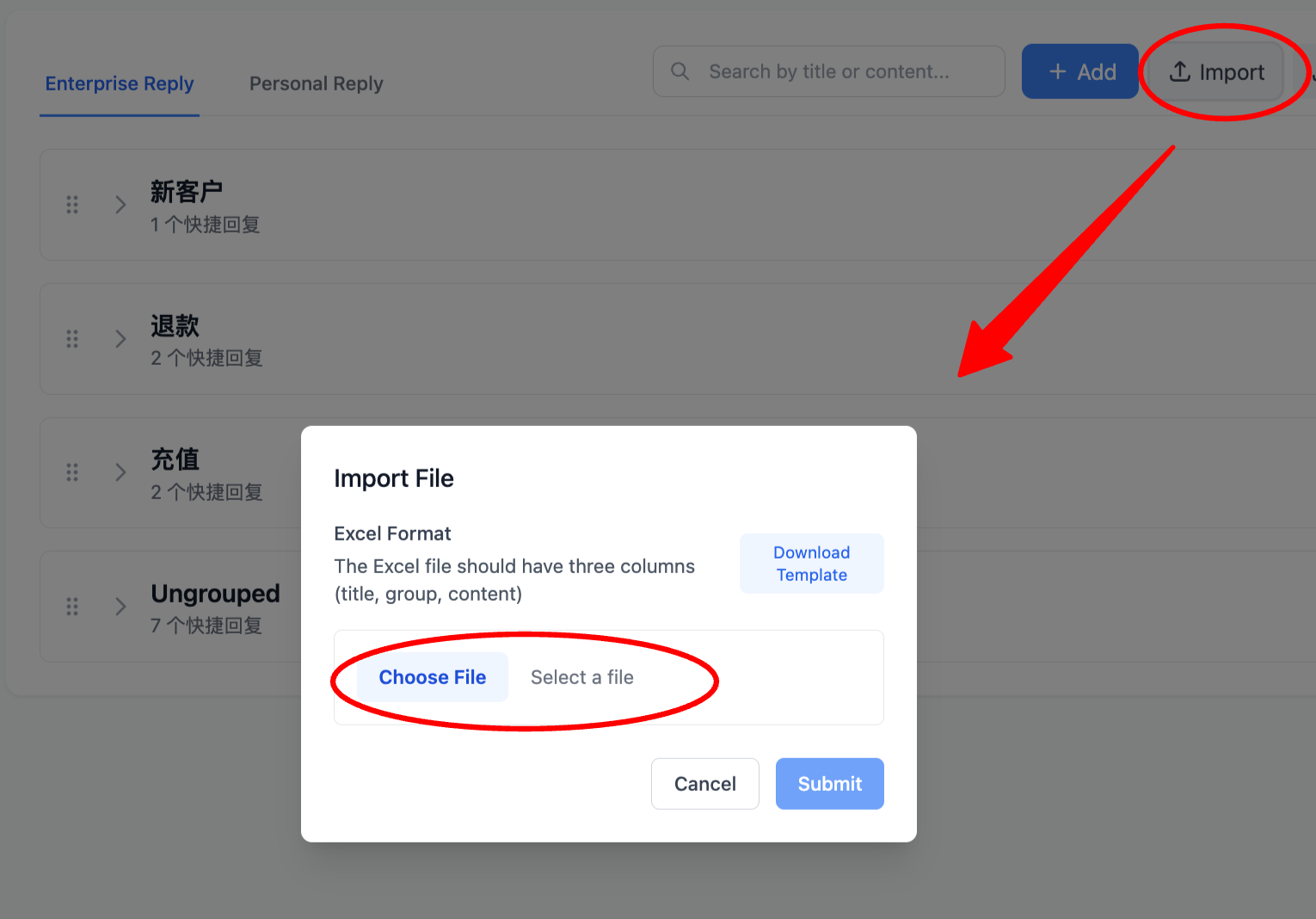
3.You can also directly import quick replies. Click "Import" and upload a file in the popup. If you're unsure how to format the spreadsheet, you can download the template, fill in the content, and then upload it.
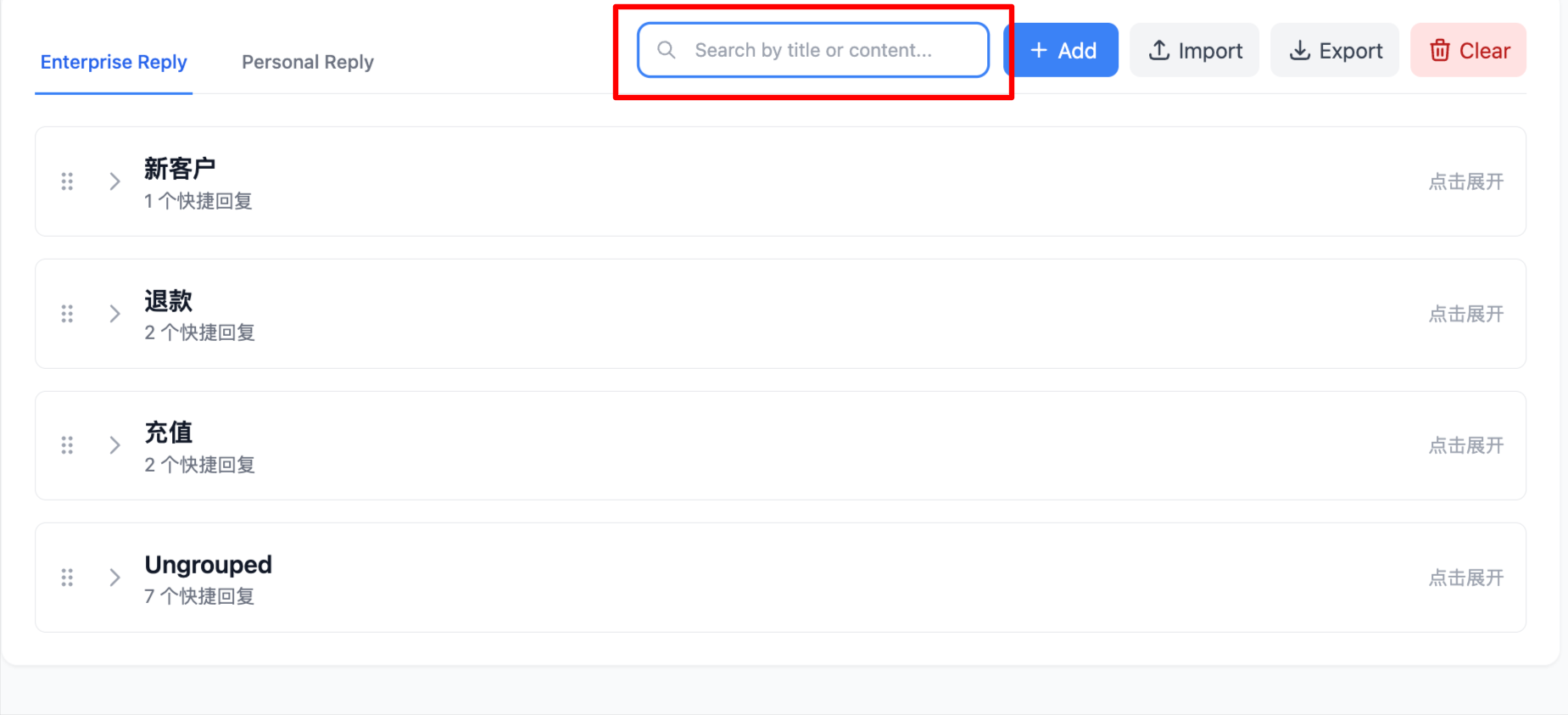
4.You can also search for quick replies directly on this page, making it easier to edit and optimize them.
⚠️"Personal Quick Replies" now also support custom keyboard shortcuts to further improve agent efficiency.
How to Use Quick Replies in the Agent Workbench
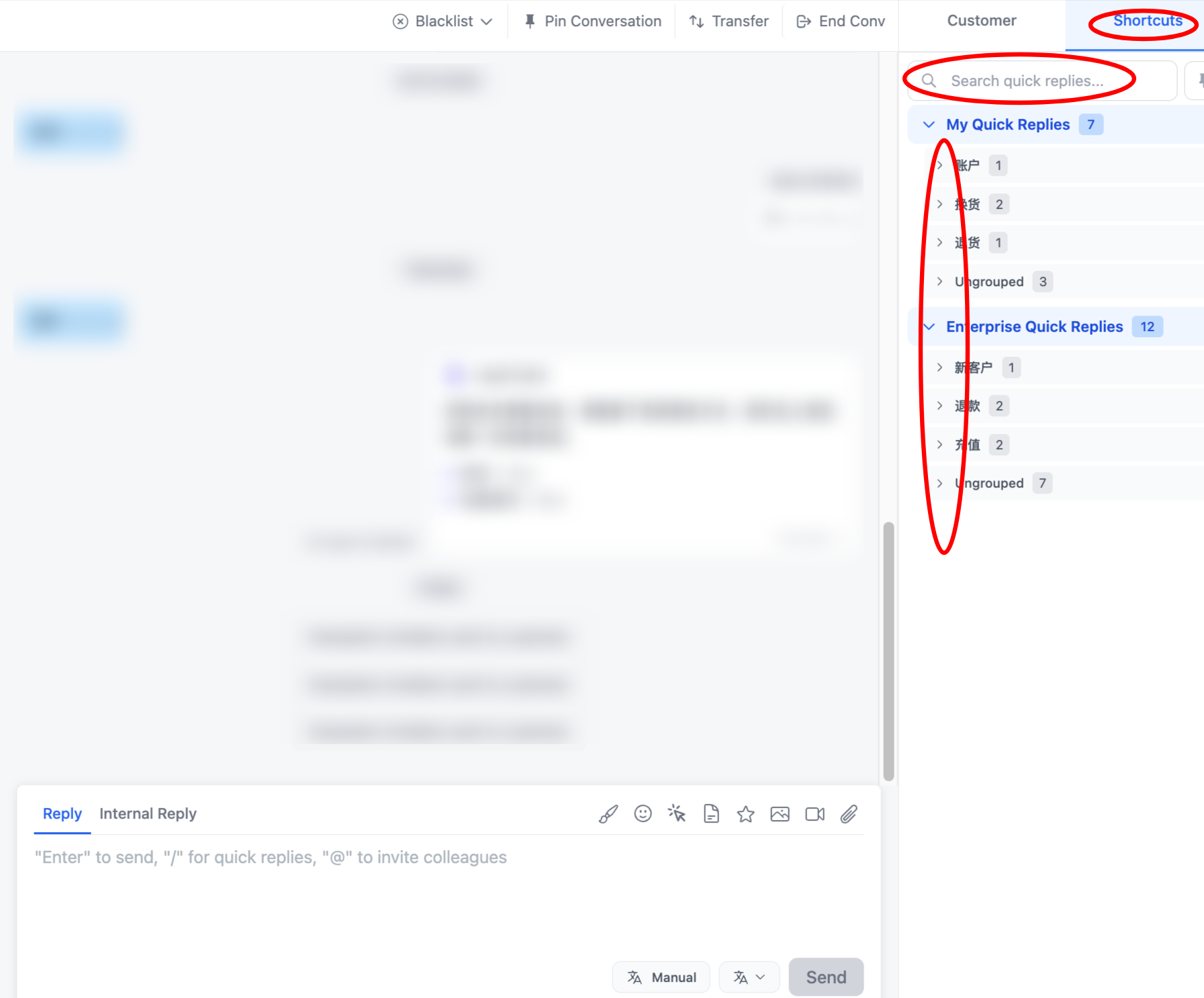
1.Click "Conversations" in the left navigation bar, open a conversation, and click "Quick" in the upper right corner of the reply box to see the configured quick replies. You can also use the search bar to find specific replies. Single-clicking a quick reply inserts the content into the reply box; double-clicking sends the quick reply immediately.
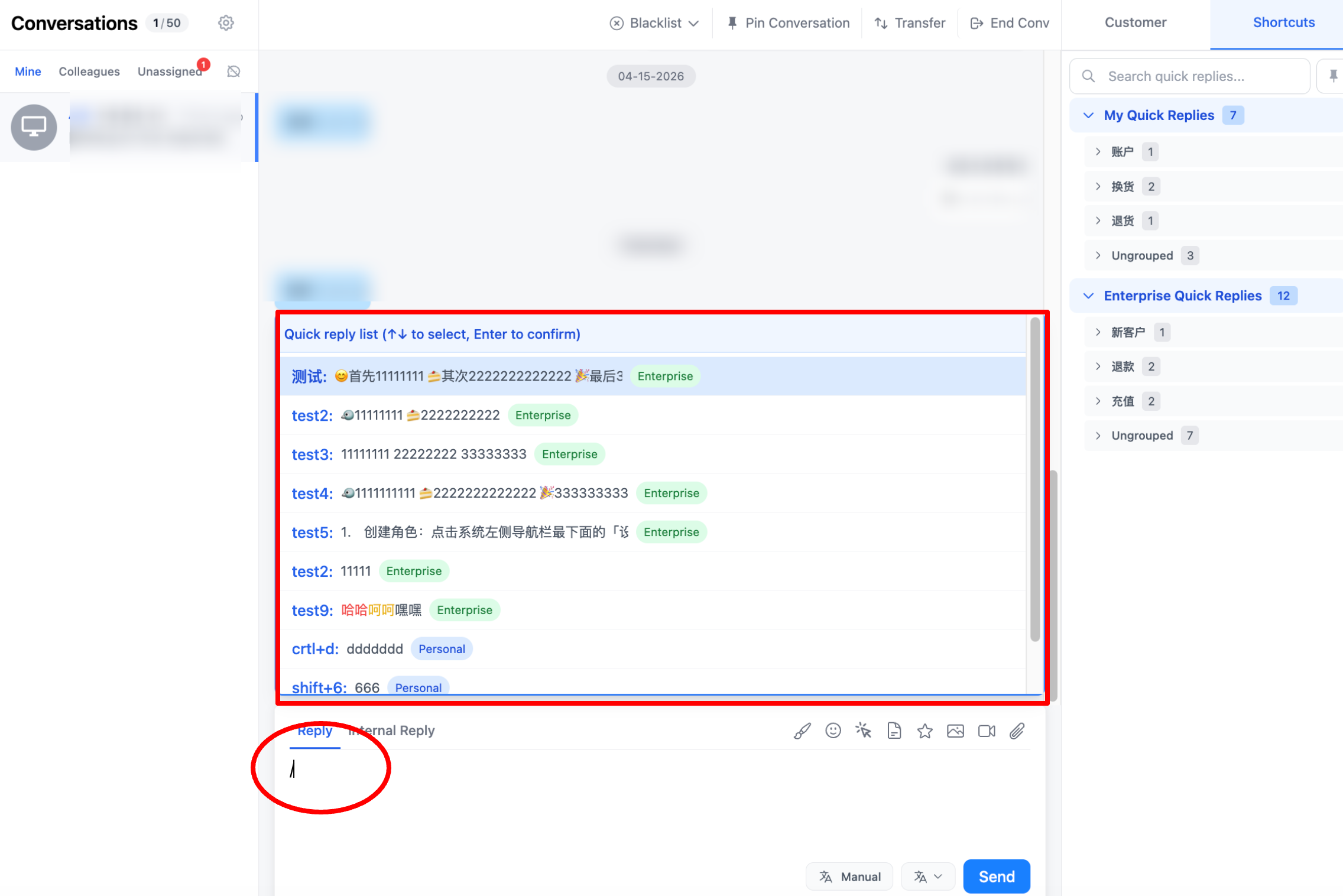
2.Alternatively, you can type "/" directly in the reply box to display the quick replies list. Double-click to insert into the reply box. Agents can edit the content before sending.
Congratulations! You've completed the "Quick Replies" feature module!
By setting up quick replies, you replace repetitive typing with preset messages, making responses fast and consistent. This reduces training and error costs while improving agent efficiency.