
Qiabot Plugin API Documentation
1. Multi-Language Usage
Supported Languages
The system currently supports the following languages (language code: description):
- zh-CN: Simplified Chinese
- zh-TW: Traditional Chinese
- en-US: English (US)
- ar-SA: Arabic
- bn-BD: Bengali
- de-DE: German
- es-ES: Spanish
- fr-FR: French
- he-IL: Hebrew
- hi-IN: Hindi
- id-ID: Indonesian
- ja-JP: Japanese
- ko-KR: Korean
- mr-IN: Marathi
- pt-BR: Portuguese (Brazil)
- ru-RU: Russian
- sw-KE: Swahili
- tr-TR: Turkish
- ur-PK: Urdu
- vi-VN: Vietnamese
The system automatically reads the browser's language setting.
If the browser language is not in the list above, it defaults to Simplified Chinese (zh-CN).
Additionally, you can manually specify the language by adding a lang querystring parameter to the URL, for example: ?lang=en-US.
2. Passing Custom Customer Attributes
Custom attributes must be pre-defined here (only the name attribute does not need to be custom defined), otherwise they will be ignored.
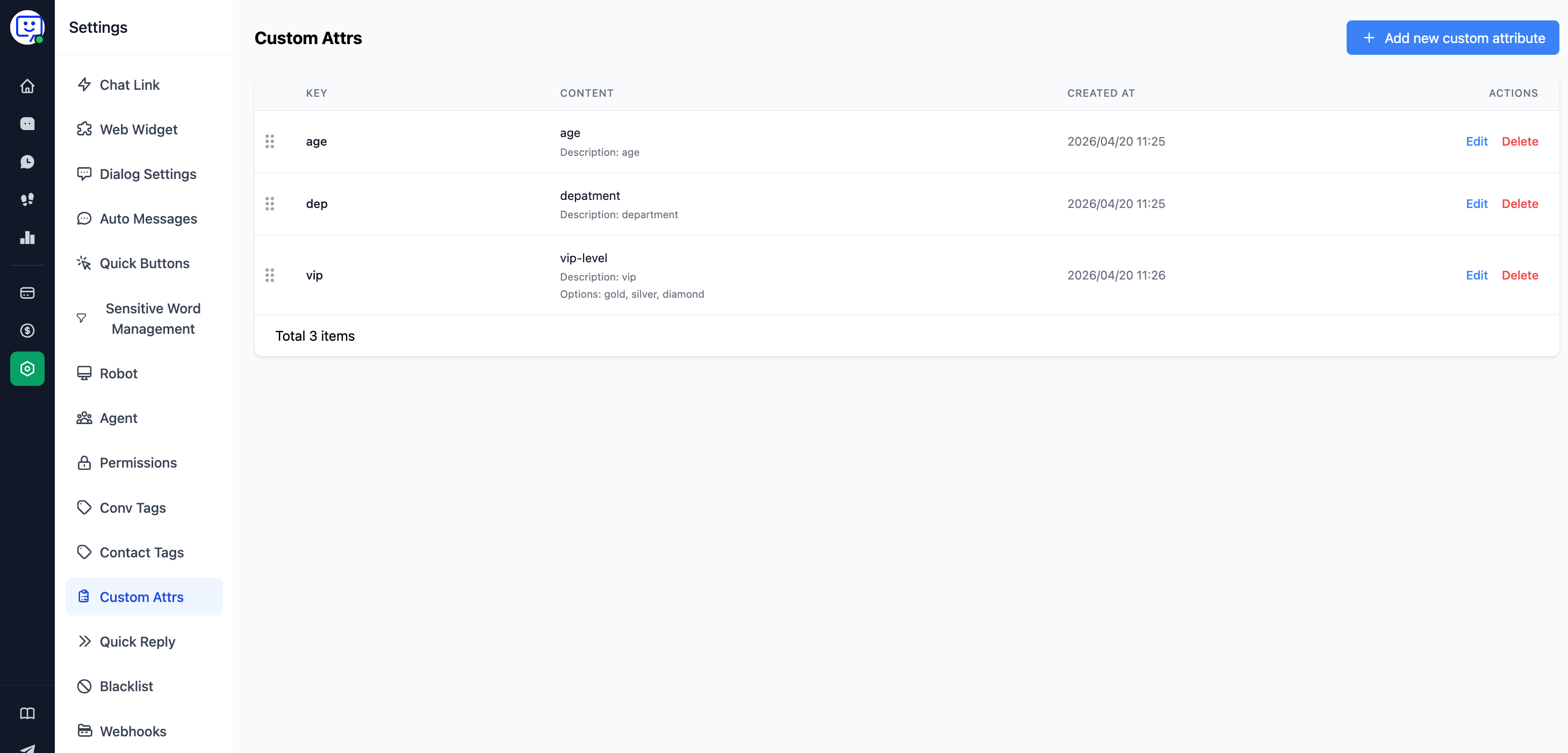
Chat Link Example
Pass custom customer attribute information to the workbench by adding a custom_attr (or metadata, for backward compatibility) parameter to the link.
Example:
Note: In custom_attr, both key and value must be enclosed in double quotes.
https://dzz.qbchat.cc/?name=老王&custom_attr={"dep":
["sales"],"age":19,"vip":"gold"}
Note: If you need to include & or = in the custom_attr data, you must escape them first.
& %26
= %3D
Correct
https://dzz.qbchat.cc/?custom_attr={"dep":
["sales"],"age":19,"vip":"gold","address":"http://xyz.qiabot.com?
a%3D1%26b%3D2"}
Incorrect
https://dzz.qbchat.cc/?custom_attr={"dep":
["sales"],"age":19,"vip":"gold","address":"http://xyz.qiabot.com?a=1&b=1"}
3. Web Plugin Example
Make slight modifications based on the plugin code below:
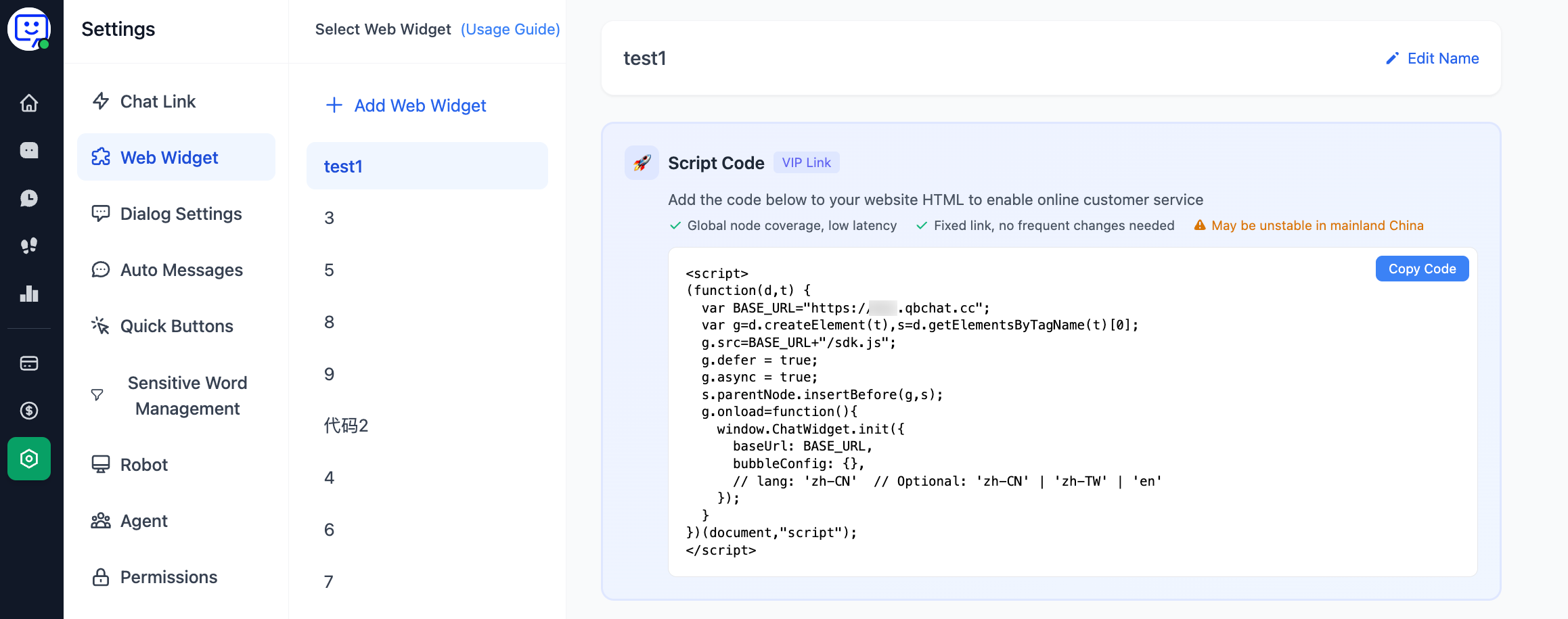
<script>
(function (d, t) {
  ......(abbreviated)
  g.onload = function () {
    window.ChatWidget.init({
      baseUrl: BASE_URL,
      position: 'right',
      // You can add user attribute information as follows. "name" is built-in and does not need to be custom defined.
      // name: "John",
      // custom_attr (or metadata, for backward compatibility): {"age": "22", "vip": "gold"}
    });
  }
})(document, "script");
</script>
4. Syncing Customer Identity
The following special attributes will sync customer identity — customers with the same values will be merged.
identifier
The identifier here comes from your own product's user system.
Please do not pass this field carelessly, otherwise multiple customers with the same parameter value will be identified as the same customer and their messages will get mixed up!
Chat Link Example
When passing parameters, as long as the parameter values are the same, they are treated as the same customer and the system will automatically merge them.
https://dzz.qbchat.cc/?identifier=123abc&phone=18088888888
Web Plugin Example
Make slight modifications based on the plugin code below:
<script>
(function (d, t) {
  ......(abbreviated)
  g.onload = function () {
    window.ChatWidget.init({
      baseUrl: BASE_URL,
      position: 'right',
      // You can sync customer identity as follows
      // identifier: "userID",
    });
  }
})(document, "script");
</script>