
Why can't Android users send images in conversations?
Some visitors report that tapping the "Send Image" icon in the chat does nothing. It works on iOS but not Android — here's the typical cause.
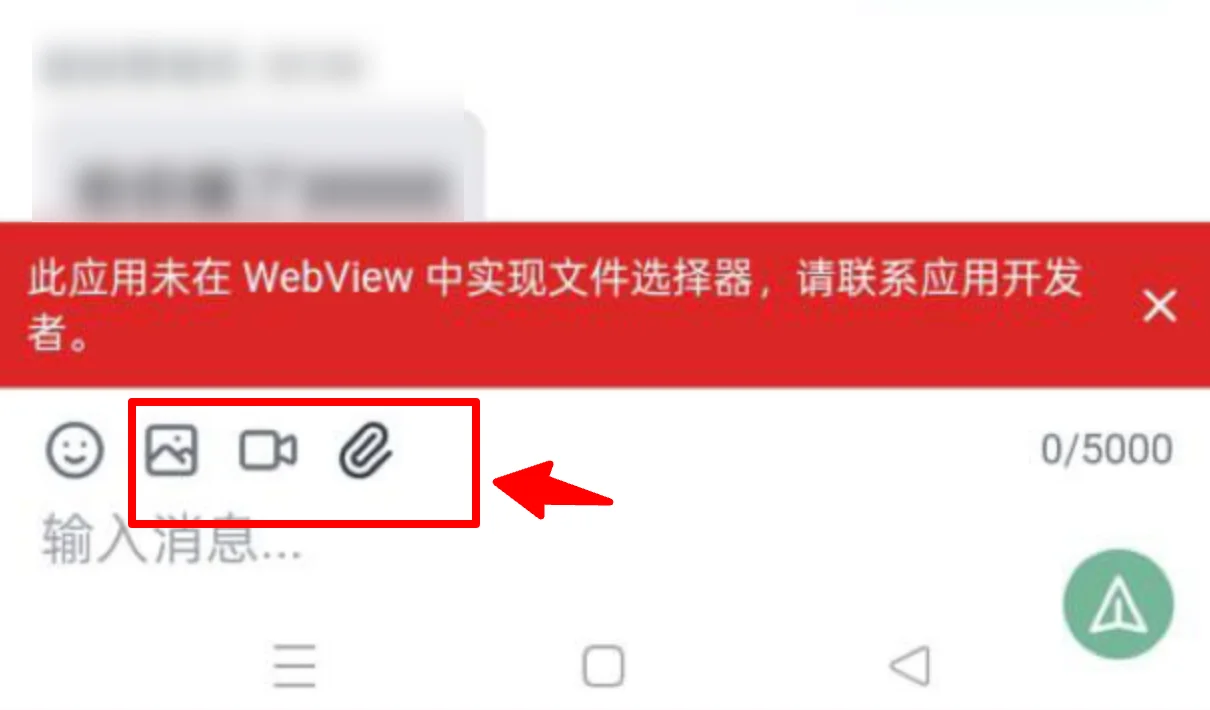
Reason:
If you've embedded the chat page inside your own app via WebView and the affected visitors are all on Android, the issue is likely:
- *The Android WebView hasn't been configured to allow file uploads.*
- iOS WebView allows these capabilities by default, so no extra setup is needed.
- Android requires developers to explicitly enable "file chooser / camera / photo gallery" capabilities in the code. Otherwise, tapping the "Send Image" button won't trigger any selection dialog.
This results in: Android taps do nothing, iOS works perfectly fine.
Solution:
Your development team needs to configure the WebView hosting the Qiabot chat page to explicitly enable: "file chooser", "camera access", and "photo gallery access".
Reference documentation:
- https://talkjs.com/resources/chat-file-upload-android/
- https://medium.com/@astokum/how-to-enable-and-set-up-file-upload-feature-in-webview-android-development-9566f4ceadef
You can also paste the above issue description to ChatGPT, Gemini, or other AI tools and ask them to generate code examples and detailed modification steps based on your app's tech stack (native / Flutter / React Native, etc.).