
"Old vs New System: How to Get IDs?"
In the old system, customers needed the Company ID to configure channels, the Agent Group ID to distinguish chat links, and the Agent ID to assign conversations to specific agents. But in the new system, there is no way to get these IDs. Why?
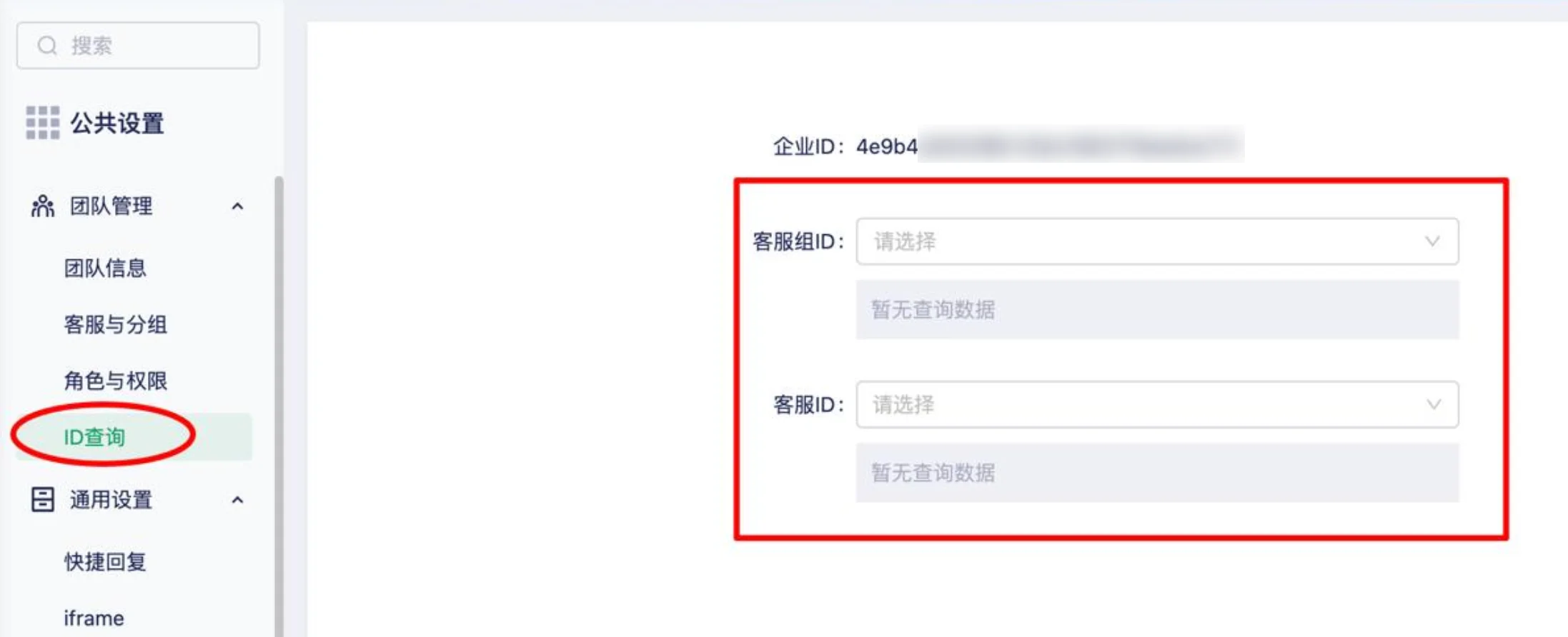
Reason:
The new version no longer supports generating chat links using IDs.
The previous approach had some security risks:
- Once someone obtains the ID, it could be exploited maliciously.
- When multiple companies share the same domain, if one company has an issue, the others may be affected as well.
In the new version, each company has its own independent domain and links, no longer relying on shared IDs. This makes the system more secure and easier to manage.
Solution:
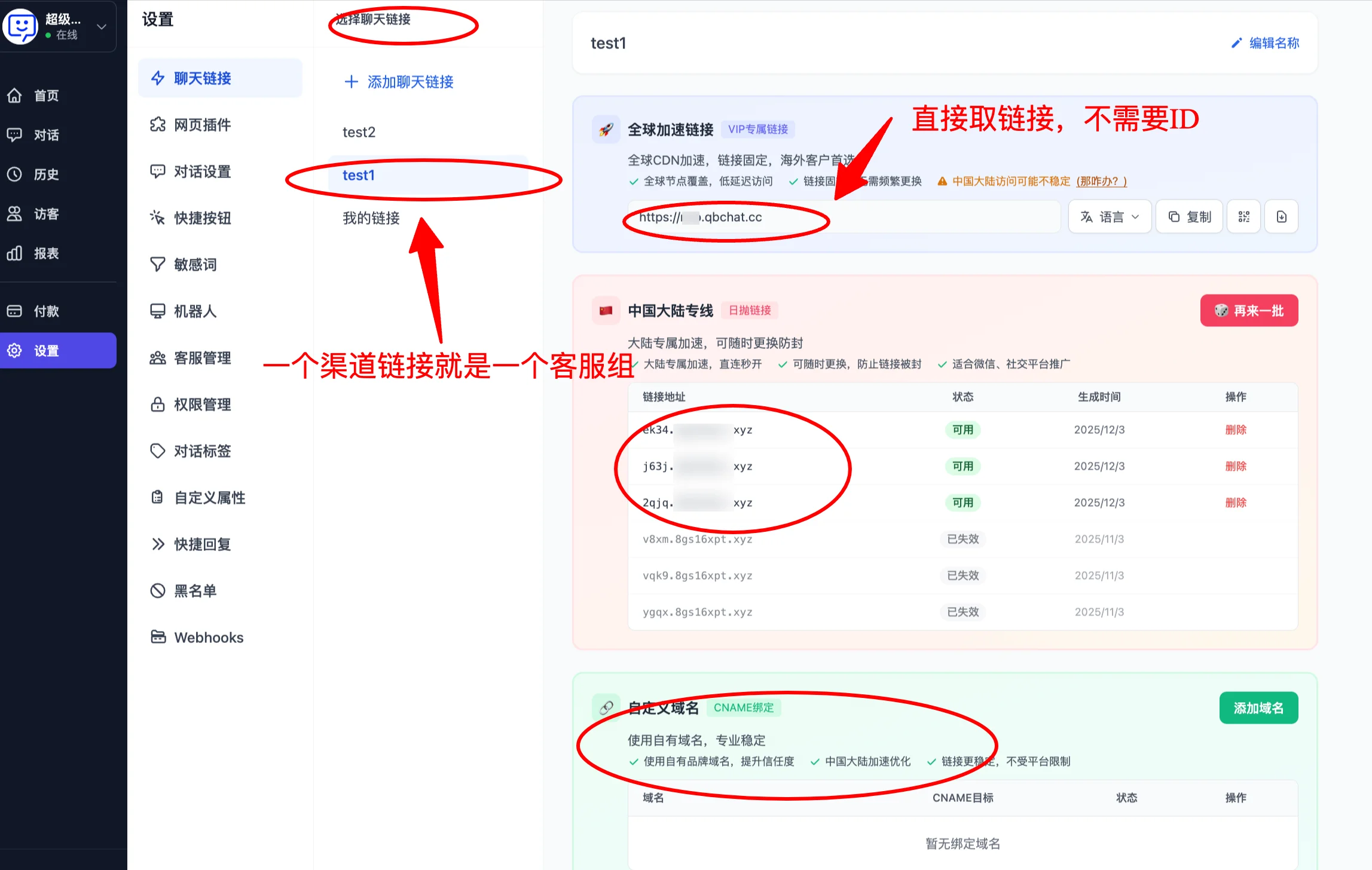
- Company ID: You no longer need to bind a Company ID to use our system. You have your own dedicated domain and links in the Qiabot dashboard.
You can go directly to the Getting Started Guide Step 3 to learn how to obtain your chat link.
- Agent Group ID: This essentially means wanting a separate channel link. You can now go to "Chat Link Settings" and create/duplicate a dedicated link for the corresponding agent group.
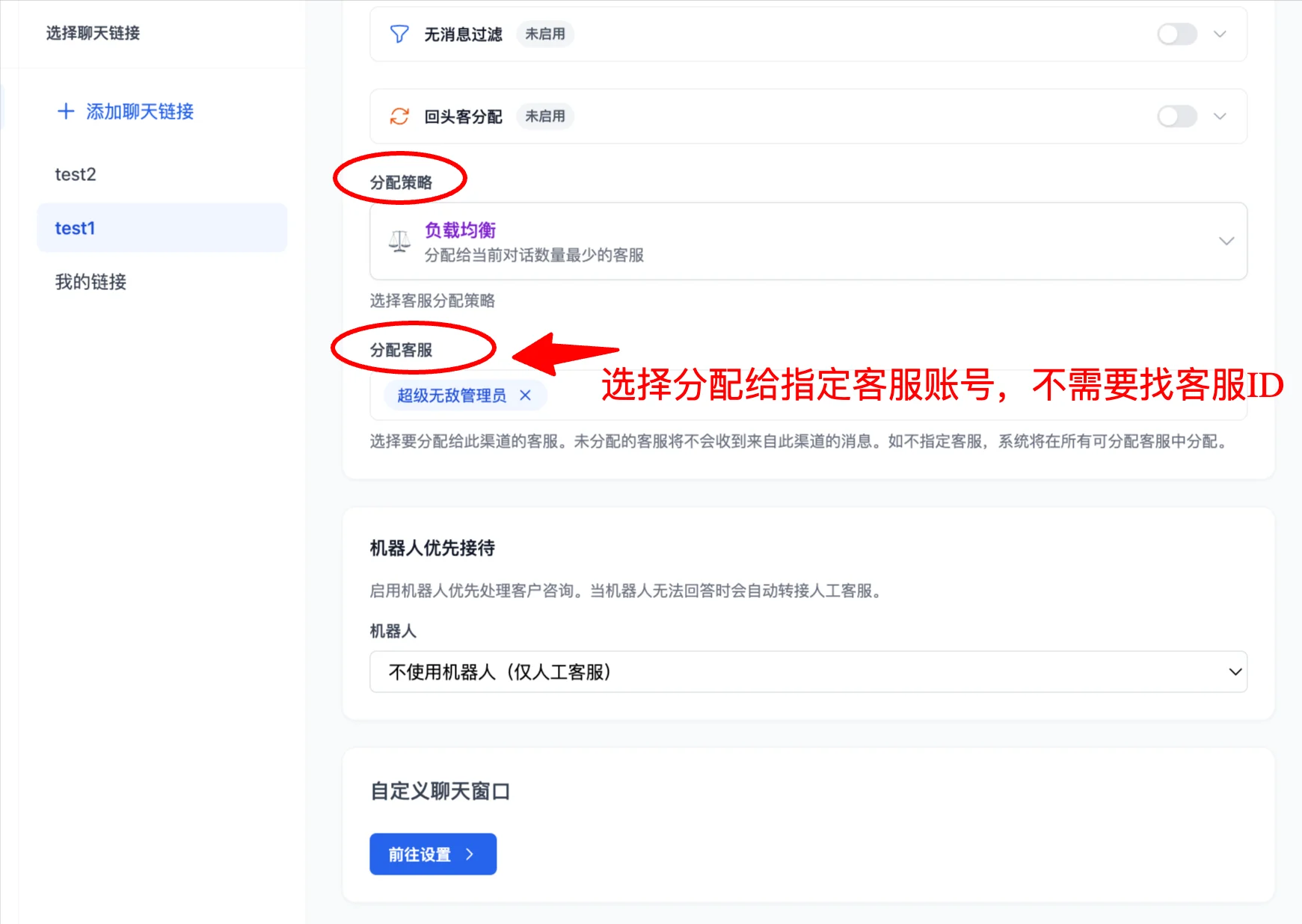
- Agent ID: In the new version, you go to the "Chat Link Settings" configuration and use "Assign Agents" to select specific agents. Conversations from this link will only be assigned to these selected agents.
The new system works differently, but achieves the same results:
Previously, control was via IDs. Now it uses "dedicated links + agent assignment" — the method has changed, but the capabilities remain the same, with higher security and a more intuitive interface.